User Code Setup (cont'd)
40
How to Set Up a User Code for Message Center Use Only
Users that have access to the security system, Internet, and Message Center should
be programmed in the procedure described in Section: User Codes. Users that are
to have access only to the Message Center options (no security or Internet options)
must be programmed here using the procedure described below.
Message Center user numbers and user codes are independent from security system
codes, but, if desired, Message Center can let you control your security system from
a telephone by assigning codes as follows:
If Message Center user code is... That user can access...
Unique to Message Center system, Message Center system only.
Same as a security system user code, Both Message Center and security systems.
Important Feature!
If the same code is used for both the Message Center user
and Symphony, Symphony can automatically retrieve that user’s memos/messages
upon system disarm.
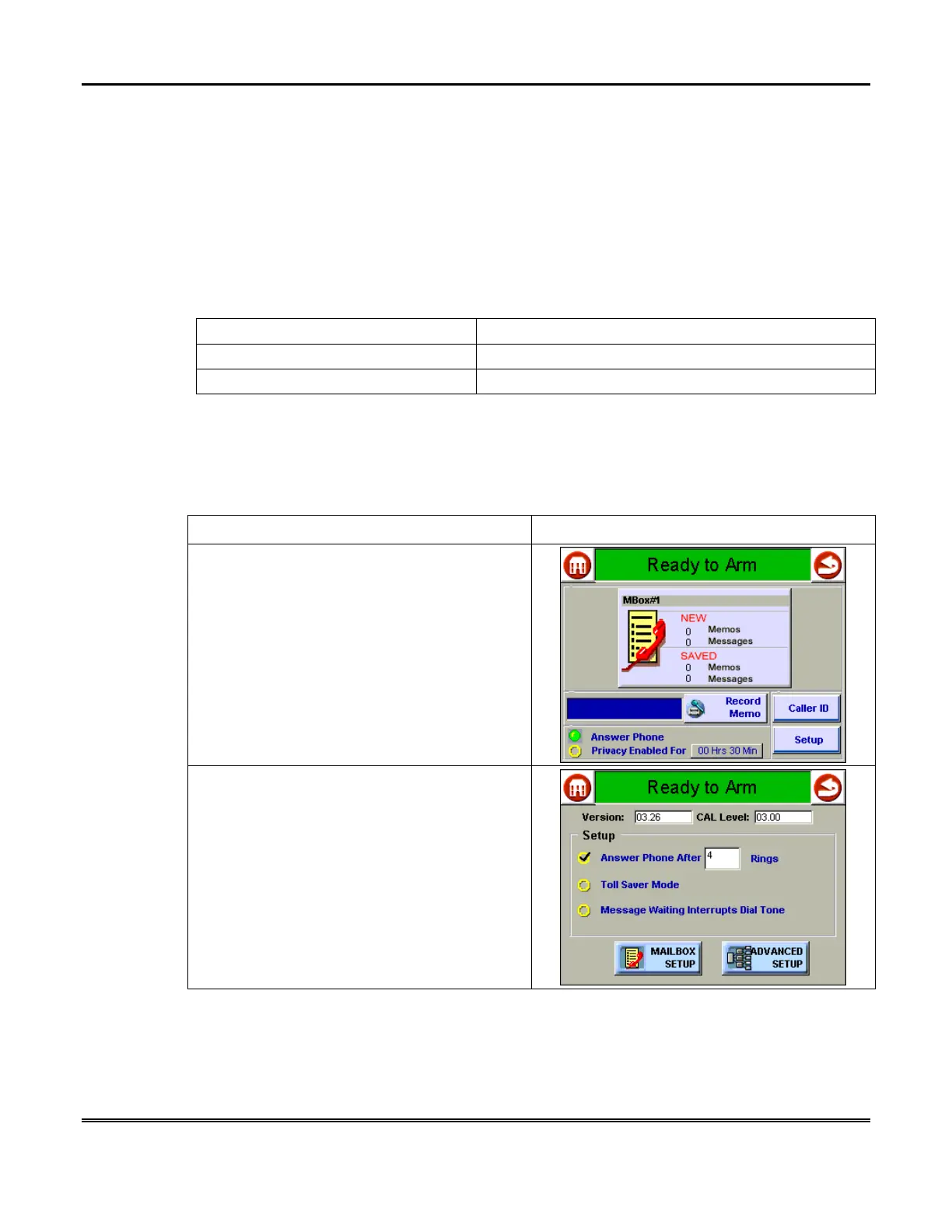
To set or change a User Code:
ACTION SCREEN
1. From the "Home" screen, press the
MESSAGES
button to display the "Message
Center" main screen.
2. Press the
Setup
button. The system enters
the "Message Center Setup" screen.



 To Next Page