User Code Setup (Cont'd)
41
ACTION SCREEN
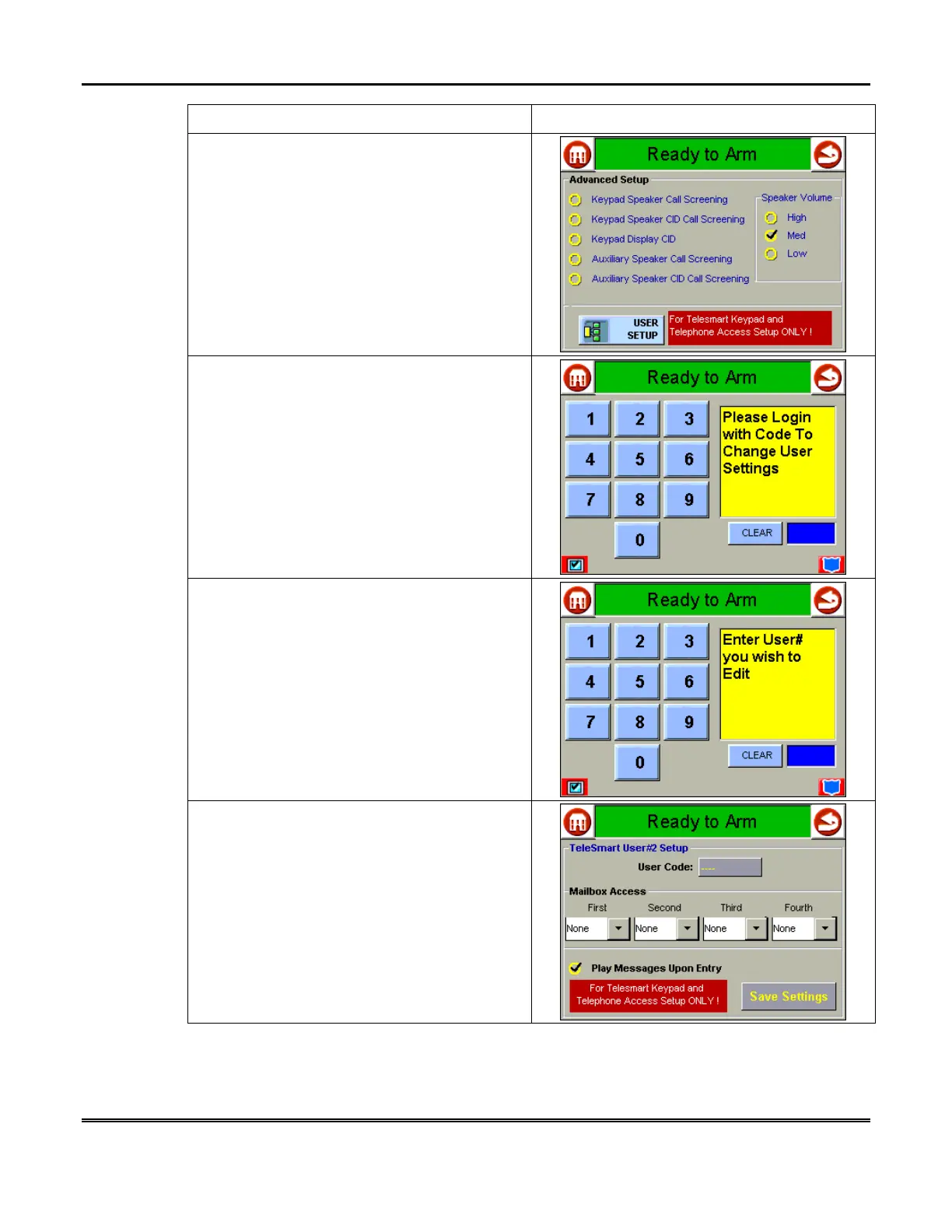
3. Press the
ADVANCED SETUP
button. The
“Advanced Setup” screen is displayed.
4. Press the
USER SETUP
button. The "User
Authorization" screen is displayed with the
instructions "
Please Login with Code To
Change User Settings
".
5. Enter your 4-digit Master Code. The "User
Authorization" screen is displayed with the
instructions "
Enter User# you wish to Edit
".
6. Enter the single-digit user number (1-5
users, 6 master). The “User Settings” screen is
displayed.



 To Next Page