33
User Code Setup
Introduction to User Code Setup
Each user must be assigned a name with a corresponding 4-digit user code in order
to gain access to various features and functions. Through Symphony, you may
program users to access any and all of the following systems:
•
Fire/Burglary
•
Message Center
•
Internet
Users for the systems are programmed in a central user setup location that provides
the specific questions for the user pertaining to each system. You may want these
users to be the same, but there are situations in which you may want a user to have
access to one system (e.g., Message Center) without having access to another (e.g.,
the Fire/Burglary system).
How to Access User Setup
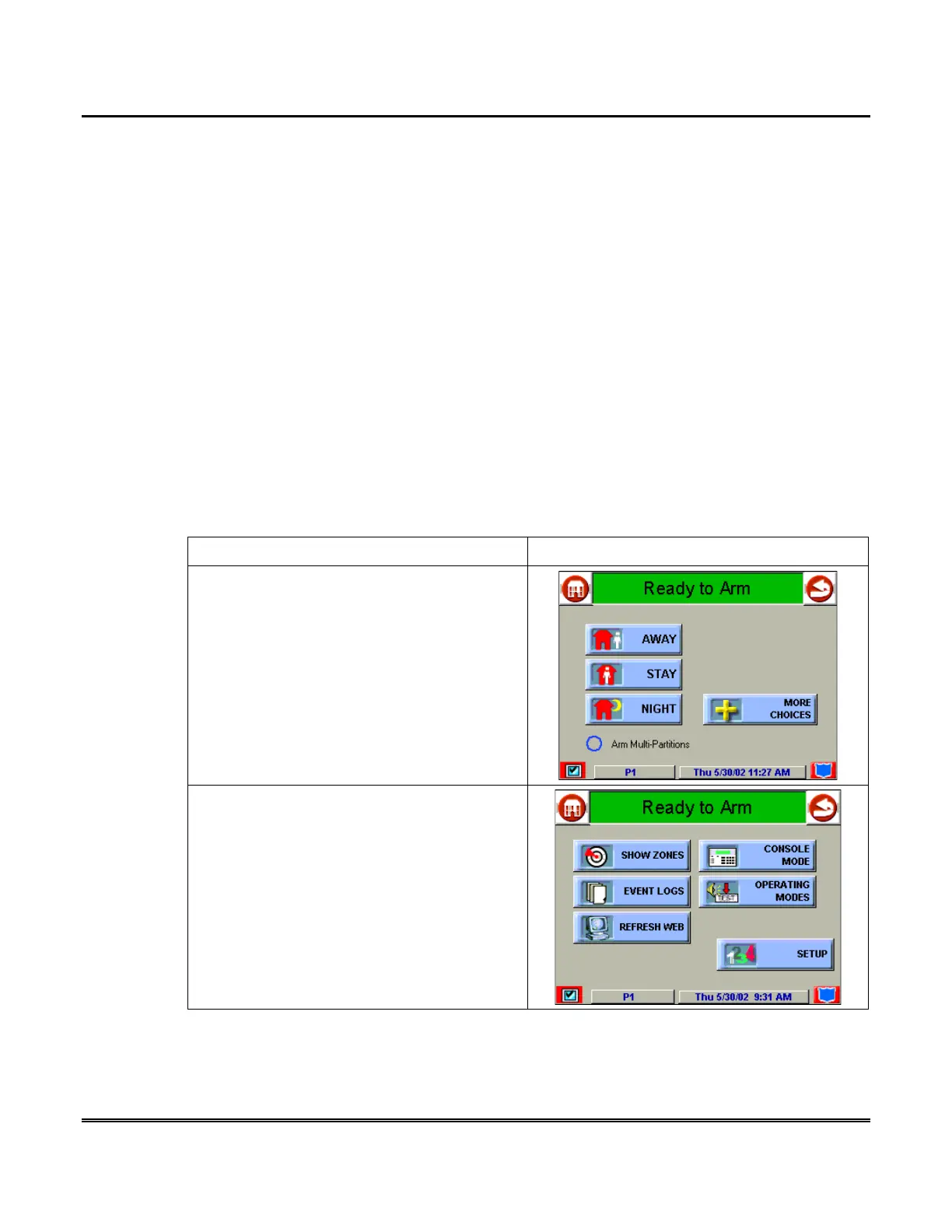
Access User Setup as follows:
ACTION SCREEN
1. From the "Home" screen, press the
SECURITY
button. The "Arming" screen is
displayed.
2. Press the
MORE CHOICES
button. The
"More Choices" screen is displayed.



 To Next Page