Symphony Setup (Cont'd)
77
ACTION SCREEN
NOTE:
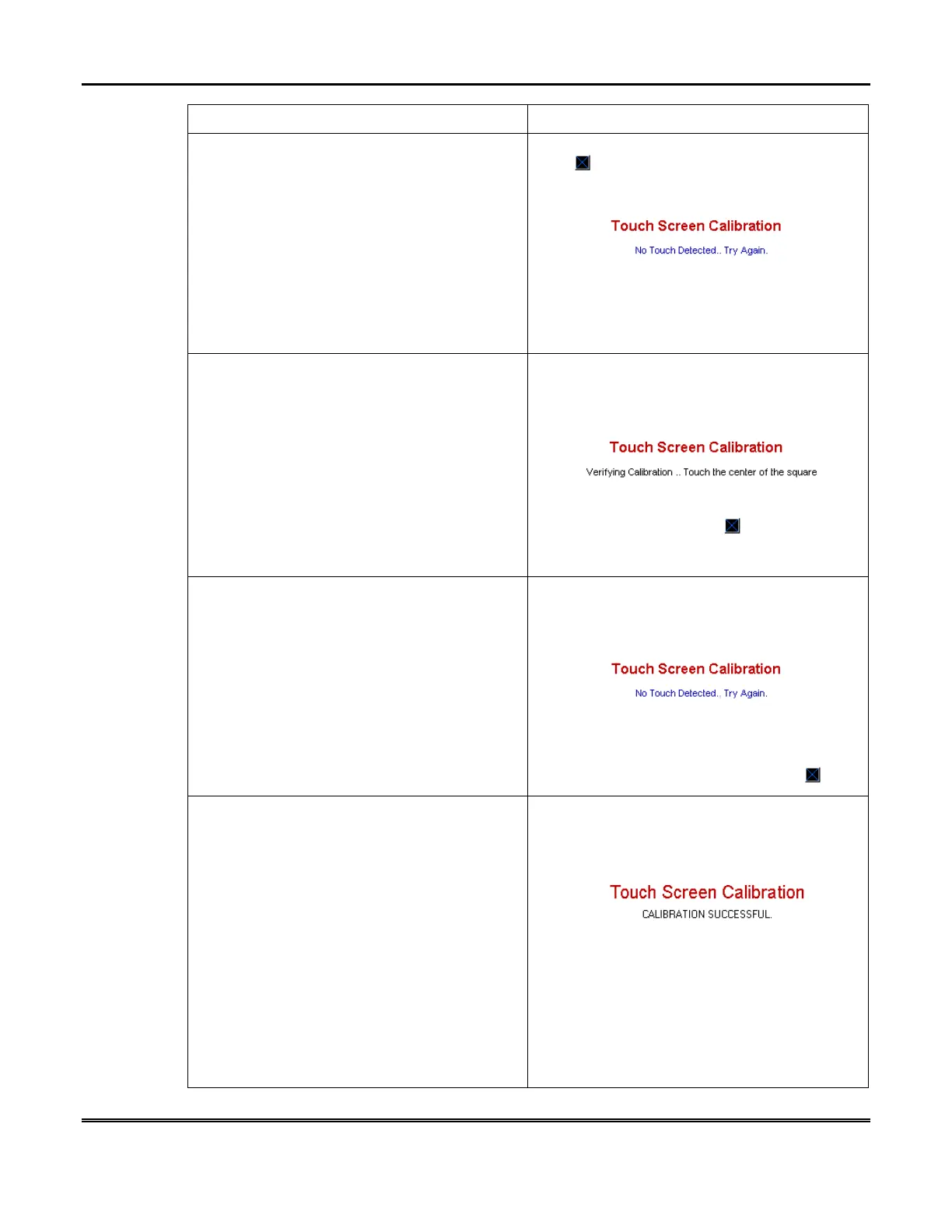
If no touch is made within 5 seconds,
“
No Touch Detected.. Try Again.
” is
displayed in the center of the
Touch Screen
Calibration
screen.
8. Press the center of the square.
The Touch
Screen Calibration
screen displays
“
Verifying Calibration.. Touch the center of
the square
”.
NOTE:
If no touch is made within 5 seconds,
“
No Touch Detected.. Try Again.”
is
displayed in the center of the
Touch Screen
Calibration
screen.
9. Press the center of the square. If touch
screen calibration was successful,
“
CALIBRATION SUCCESSFUL
” is displayed
momentarily. You are then returned
automatically to the "Diagnostics" screen.
If touch screen calibration was not successful,
“
Calibration Unsuccessful”
is displayed
momentarily. You are then returned
automatically to the first
Touch Screen
Calibration
screen.
NOTE: You will progress through the
Touch
Screen Calibration
screens regardless of
where you touch. To successfully calibrate the
touch screen you must press the center of the
box on each screen.



 To Next Page