Optional Message Center Features (Cont'd)
57
ACTION SCREEN
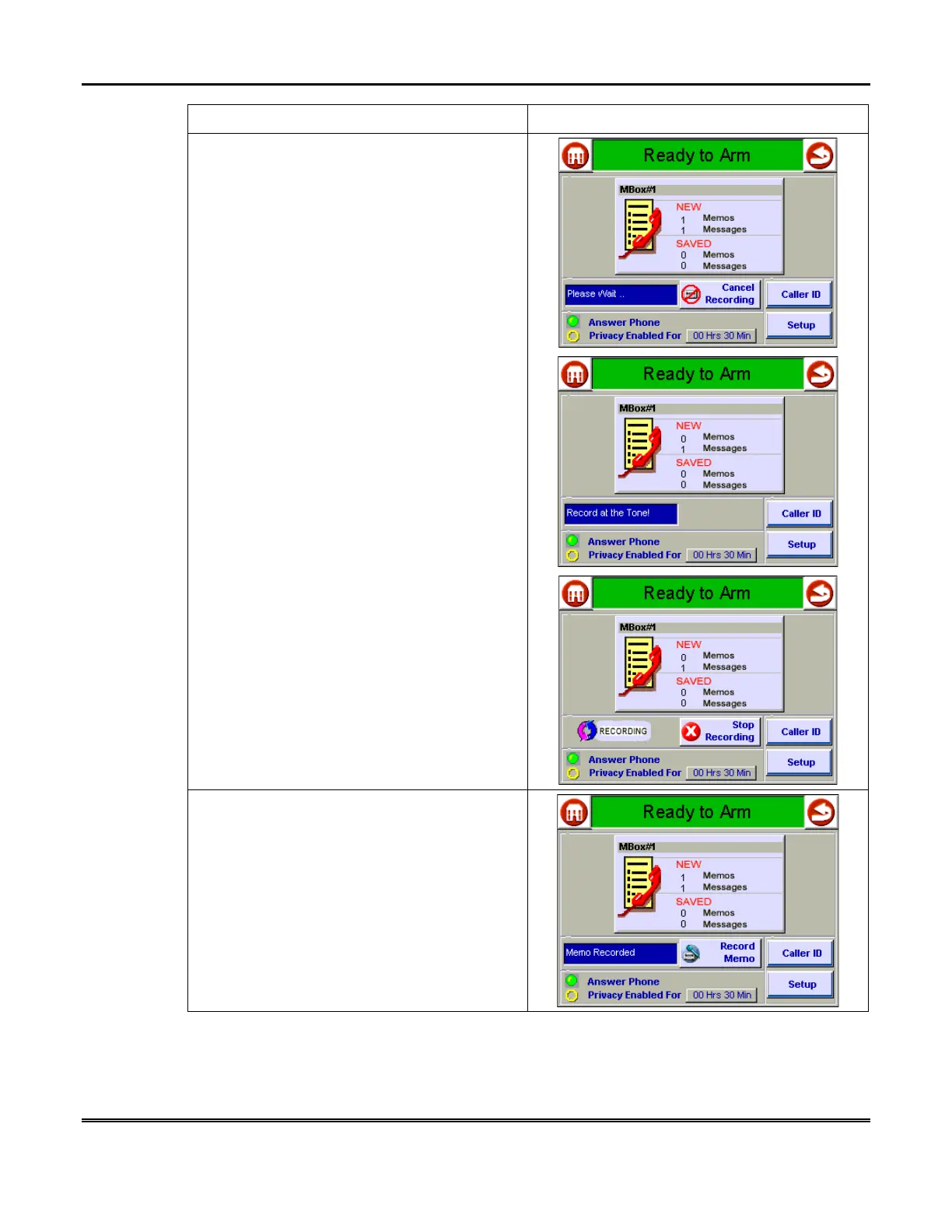
2. Press the
Record Memo
button. In a multi-
user system, you are prompted to select a
mailbox.
Select the desired mailbox, then proceed.
Wait for the system to log you in (
Please
Wait…
is displayed, then you are prompted to
Record at the Tone
). The screen shows a
“
RECORDING
” display.
4. Press
Stop Recording
button when
completed. The
Record Memo
button and a
text message that reads
Memo Recorded
replace the
RECORDING
and
Stop
Recording
buttons. When the text message
disappears, the number of memos under the
NEW
column of the selected mailbox increases
by one.



 To Next Page