Security System Operation (Cont'd)
27
ACTION SCREEN
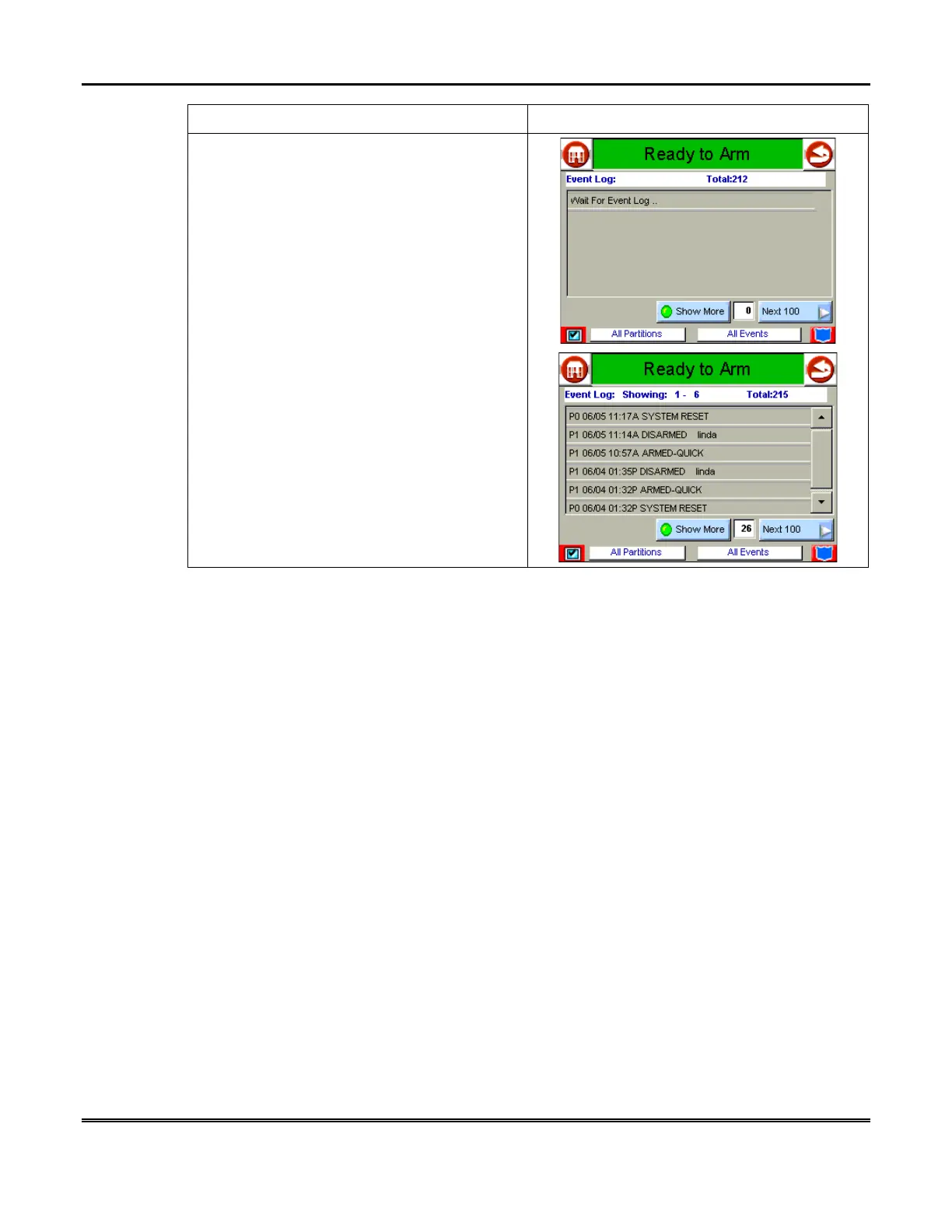
3. Press the
EVENT LOGS
button on the
"More Choices" screen. The "Event Log"
screen is displayed.
NOTE:
While Symphony is requesting and
receiving the event log data from the control
panel, the "Event Log" screen displays "
Wait
For Event Log.
.".
To view additional events, press the up/down
arrows to scroll through the event log. To view
all items, press the
SHOW MORE
button.
NOTE:
When
All Partitions
or
All Events
button is pressed, and more than 100 events
exist, the
SHOW MORE
button text will change
to read
NEXT 100
.



 To Next Page