Optional Message Center Features (cont'd)
60
ACTION SCREEN
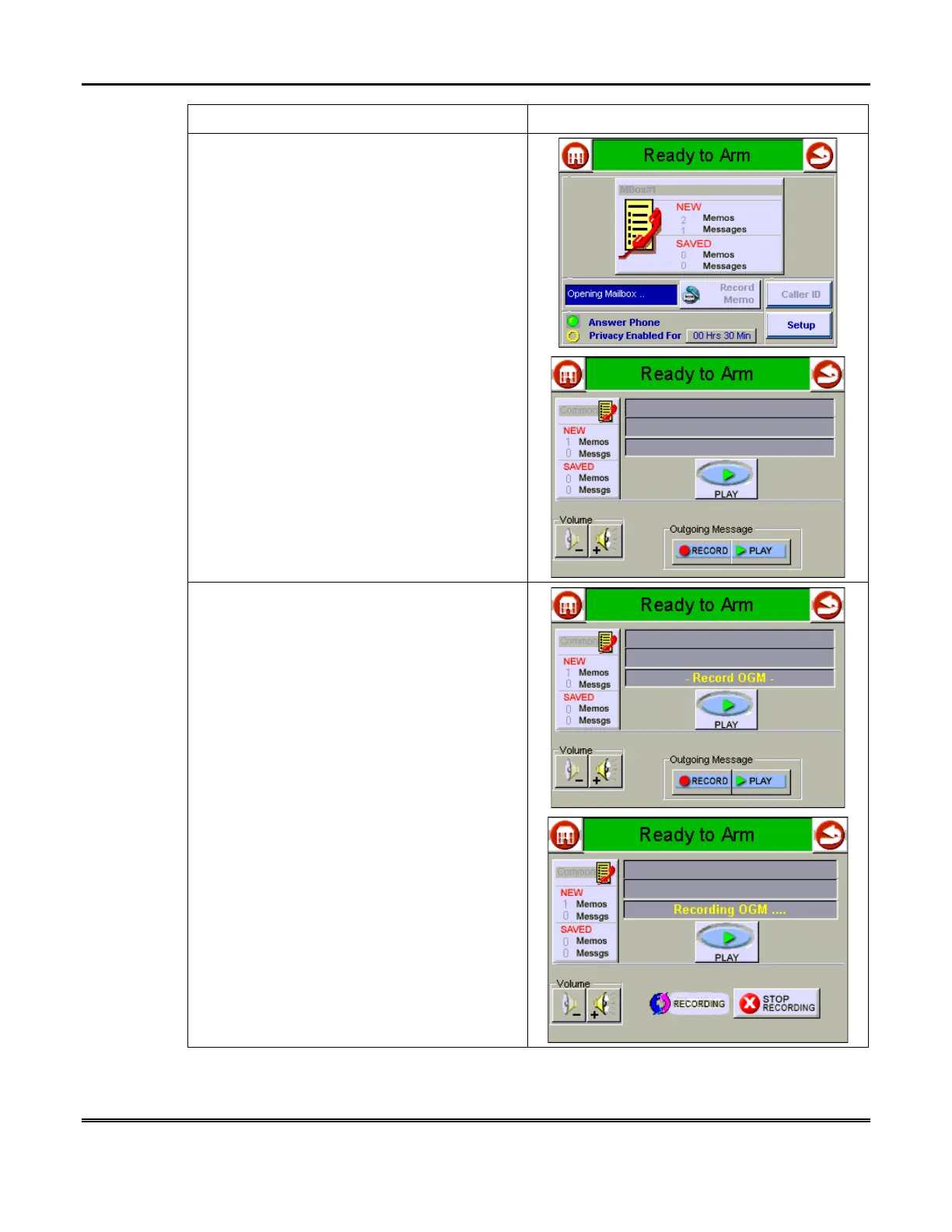
2. Select the Mailbox into which you wish to
record a greeting by touching it.
3. Touch the
Outgoing Message RECORD
button. The text box displays
_Record OGM_.
After the tone sounds, there is a short delay,
then the text box indicates
Recording OGM….
And the
RECORDING
icon and
STOP
RECORDING
button are displayed. After a
few seconds, the text box clears. Record your
outgoing message at this time.



 To Next Page