
 Need help?
Do you have a question about the Syntec 22/220 Series and is the answer not in the manual?
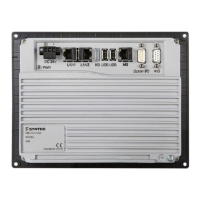
Details the physical layout and ports on the controller's back panel.
Provides detailed descriptions of the controller's various ports and interfaces.
Lists and describes the different available controller models.
Lists all necessary hardware components and their specifications.
Provides detailed descriptions of each major hardware component like driver, panel, keyboard.
Illustrates the overall system connectivity and the relationship between components.
Explains the procedure for connecting the controller to servo drivers.
Details the physical connections between the controller and the operation panel.
Describes how to connect the controller to the dedicated keyboard unit.
Explains the connection process for the controller and IO modules.
Guides on connecting optional SRI devices to the controller.
Covers fundamental parameters for controller setup and configuration.
Details parameters specifically related to axis configuration and setup.
Explains the parameters necessary for configuring the spindle operation.
Introduces pitch error, its causes, and measurement methods.
Describes the operational path or sequence for performing pitch error compensation.
Outlines the technical specifications and requirements for pitch error compensation.
Details advanced methods for achieving high-precision pitch error compensation.
Lists and explains parameters crucial for configuring pitch error compensation.
Provides a step-by-step guide for executing pitch error compensation.
Addresses common questions and troubleshooting tips for pitch error compensation.
Offers important notes, examples, and best practices for pitch error compensation.
Explains backlash error, its causes, and measurement techniques.
Details the two types of backlash compensation: Linear Way and Box Way.
Lists and describes parameters essential for backlash compensation setup.
Provides a step-by-step guide for performing backlash compensation measurements.
Demonstrates a practical example of backlash compensation implementation.
Answers frequently asked questions regarding backlash compensation usage.
Introduces quad-peak error, its cause in mechanical structures, and effect.
Describes the three types of quad-peak compensation: Position, Speed, and Torque Peak.
Lists and explains parameters related to quad-peak compensation methods and settings.
Addresses common questions concerning quad-peak error and its compensation.
Offers important notes and observations related to quad-peak compensation.
Explains the serial parameter screen interface for selecting and configuring drivers.
Details the procedures for setting the absolute origin and resetting the encoder.
Answers frequently asked questions related to serial parameter screen operations.
Guides on how to install software and perform controller upgrades.
Explains the process and types of system data backup for the controller.
Provides critical notifications and checks for restoring drive parameters.
 General
| Brand | Syntec |
|---|---|
| Model | 22/220 Series |
| Category | Controller |
| Language | English |

 To Next Page

