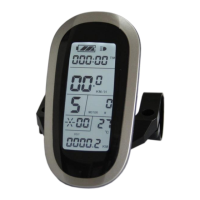
ELECTRIC BICYCLE METER KT—LCD8S Product User Manual
- 16 -
operating temperature display function.
○ Environment Temperature
After startup, the environment temperature for using meter will be displayed in
environment temperature display column.
The temperature display value may be in deviation shortly after boot-up, and the
display value will be gradually approaching the environment temperature within 10
minutes after boot-up.
○ Single Data Clearing
5 seconds after the meter is powered on, at display 1, hold both the button (UP)
and the button (DOWN) simultaneously for about 2 seconds, the single trip time
(TM) and single trip distance (DST) flicker, then hold button shortly (SW), the
record contents of both will be cleared.


 To Next Page
 Loading...