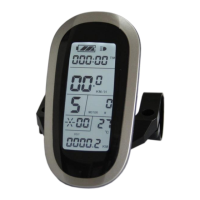
ELECTRIC BICYCLE METER KT—LCD8S Product User Manual
- 31 -
C5 parameter setting interface
C5 is controller maximum operating current adjustment setting (tiny-adjustment of
limit current value), the default value is 10, setting range is 0-10, press button (UP)
or button (DOWN) for selection.
C5 parameter definition table:
Three level slow start/ Maximum current value
Two level slow start/ Maximum current value
One level slow start/ Maximum current value
Maximum current value÷2.00
Maximum current value÷1.50
Maximum current value÷1.33
Maximum current value÷1.25
Maximum current value÷1.20
Maximum current value÷1.15
Maximum current value÷1.10
When C5 setting is 10, maximum current value is controller maximum operating
current value (ie, limit current value); when setting is 9, maximum current value divided by
1.10, when setting is 8, maximum current value divided by 1.15 and so on.
After finishing C5 parameter setting, press button (SW) to save the current
value and then press button (DOWN) to enter C6 parameter setting interface.
○ C6 Backlight Brightness Adjustment Setting
Enter C6 parameter setting interface after C5 parameter setting is finished, press
button (SW), C6 parameter column flashes.


 To Next Page
 Loading...