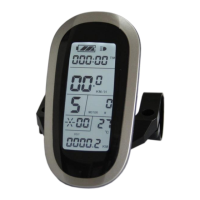
ELECTRIC BICYCLE METER KT—LCD8S Product User Manual
- 28 -
value and then press button (DOWN) to enter C3 parameter setting interface.
○ C3 Power Assist Ratio Gear Initialization Setting
Enter C3 parameter setting interface after C2 parameter setting is finished, press
button (SW), C3 parameter column flashes.
C3 parameter setting interface
Press button (UP) or button (DOWN) for selection C3 parameter values.
The factory default is 8.
C3 parameter values:
The meter is powered on and the power assist ratio is at gear 0.
The meter is powered on and the power assist ratio is at gear 1.
The meter is powered on and the power assist ratio is at gear 2.
The meter is powered on and the power assist ratio is at gear 3.
The meter is powered on and the power assist ratio is at gear 4.
The meter is powered on and the power assist ratio is at gear 5.
Each startup will automatically restore the gear shutdown last time.
After finishing C3 parameter setting, press button (SW) to save the current


 To Next Page
 Loading...