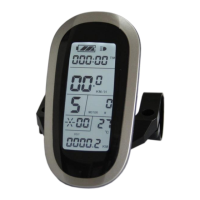
ELECTRIC BICYCLE METER KT—LCD8S Product User Manual
- 20 -
After finishing the wheel diameter setting, press button (DOWN) to enter the
metric/imperial units setting interface, press button (SW) shortly, and then the
speed and mileage unit flash. Press button (UP) or button (DOWN) shortly to
make sync selection of three metric/imperial units as speed, mileage, and the environment
temperature.
Definition Table of Metric/Imperial Units:
Under the metric/imperial units setting interface, if there’s no button operation
on the meter for more than 1 minute, and then the meter will automatically return to
display 1, and the original set units will be saved.
After finishing the metric/imperial units setting, press button shortly (SW) to
save the current set values, and then speed and mileage units stop flashing, or hold
button (SW) long for about 2 seconds to exit the general project setting environment and
return to display 1.
○ Exit General Project Setting
Among the three general project settings, after each setting is completed, if hold
button (SW) long for about 2 seconds, all can exit the setting environment and return to
display 1, meanwhile, the current set parameters are saved.
Under each setting interface, if there’s no button operation on the meter for more than
1 minute, and then the meter will automatically return to display 1, and the original set


 To Next Page
 Loading...