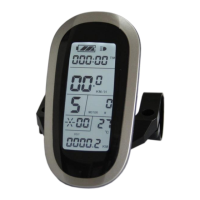
Non-zero startup throttle, Throttle gears is
distinguished according to the display meter.
When C4 = 2 is confirmed, "specified speed limit value of throttle " flashes, press
(UP) button or (DOWN) button for short to make selection, and the default
value is 20.
When C4 = 4 is confirmed, the "percentage value of the first gear speed accounts
for its full speed" of the power assist gear flashes, press (UP) button or
(DOWN) button for short to make selection, and the default value is 50%. The
percentage values of other gears divide automatically in equal.
After finishing C4 parameter setting, press button (SW) to save the current
value and then press button (DOWN) to enter C5 parameter setting interface.
○ C5 Controller Maximum Current Adjustment Setting
Enter C5 parameter setting interface after C4 parameter setting is finished, press
button (SW) , C5 parameter column flashes.


 To Next Page
 Loading...