Steering
Page 47
ME-45X-01
E-451 & E-457
ALIGN STEERING
1: Remove the steering chain.
2: Remove the drag link.
3: Position the front fork so that it is in the full right
turn position and tie off so it cannot rotate.
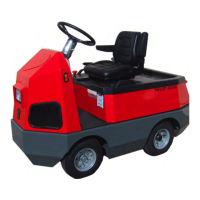
4: Position the steering jack shaft arm as shown in
the illustration (parallel with the rear wheel).
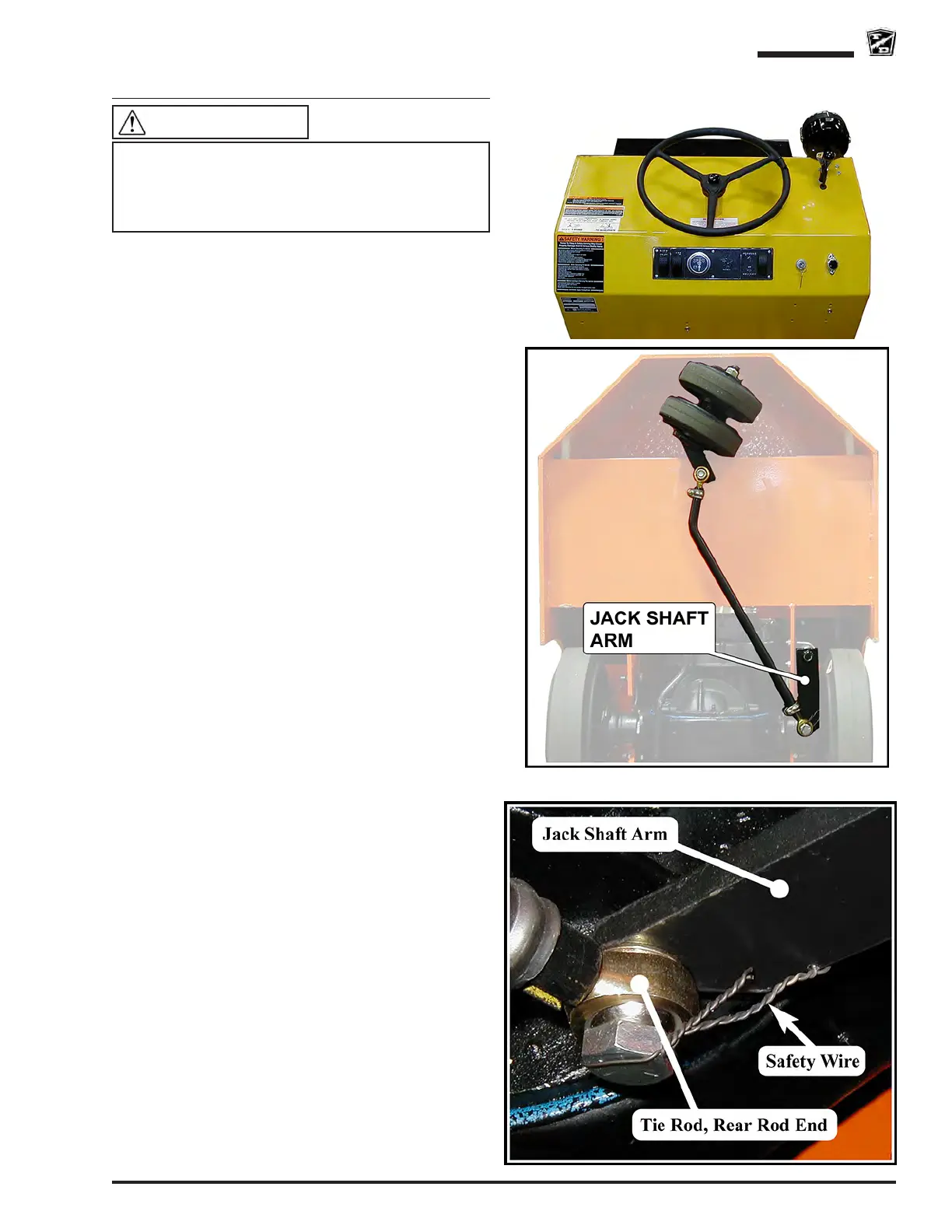
5: Position the steering wheel so that it is centered
(see illustration) and tie off so it cannot rotate.
6: Loosen the rod end clamps.
7: Adjust the drag link rod ends so that the drag
link can be easily installed. Both rod ends should
have approximately the same number of threads
into the drag link.
8: Install the drag link.
9: Position the rod end clamps as shown in the
illustration and tighten the clamp bolts.
10: Reconnect the battery.
11: Remove the blocks from behind the wheels.
12: Test drive the vehicle
This section is one section of a complete service
manual. Before starting any procedure, read all
warnings and instructions that are located in the
Service Guidelines chapter.
WARNING



 To Next Page