45
User’s manual
it’s no useful in that application where it’s necessary to produce torque in steady state at frequency
below 1Hz (in this case we recommend to use a motor with feedback and a Vector control).
To enable the voltage-frequency control set C80=characteristic
The most easier way to set the voltage-frequency characteristic is to use the automatic procedure.
First of all set the maximum motor voltage (P64) and the maximum working speed (P65) and then set
C88=1 .
Name Description
PRC_MOT_V_MAX P64 - Max. operating voltage
MOT_SPD_MAX P65 - Max. operating speed (n MAX)
VF_EN_CHR_AUTOSET C88 - Calculate V/f characteristic nominal knee
Automatically the drive set the voltage-frequency characteristic in two possible way:
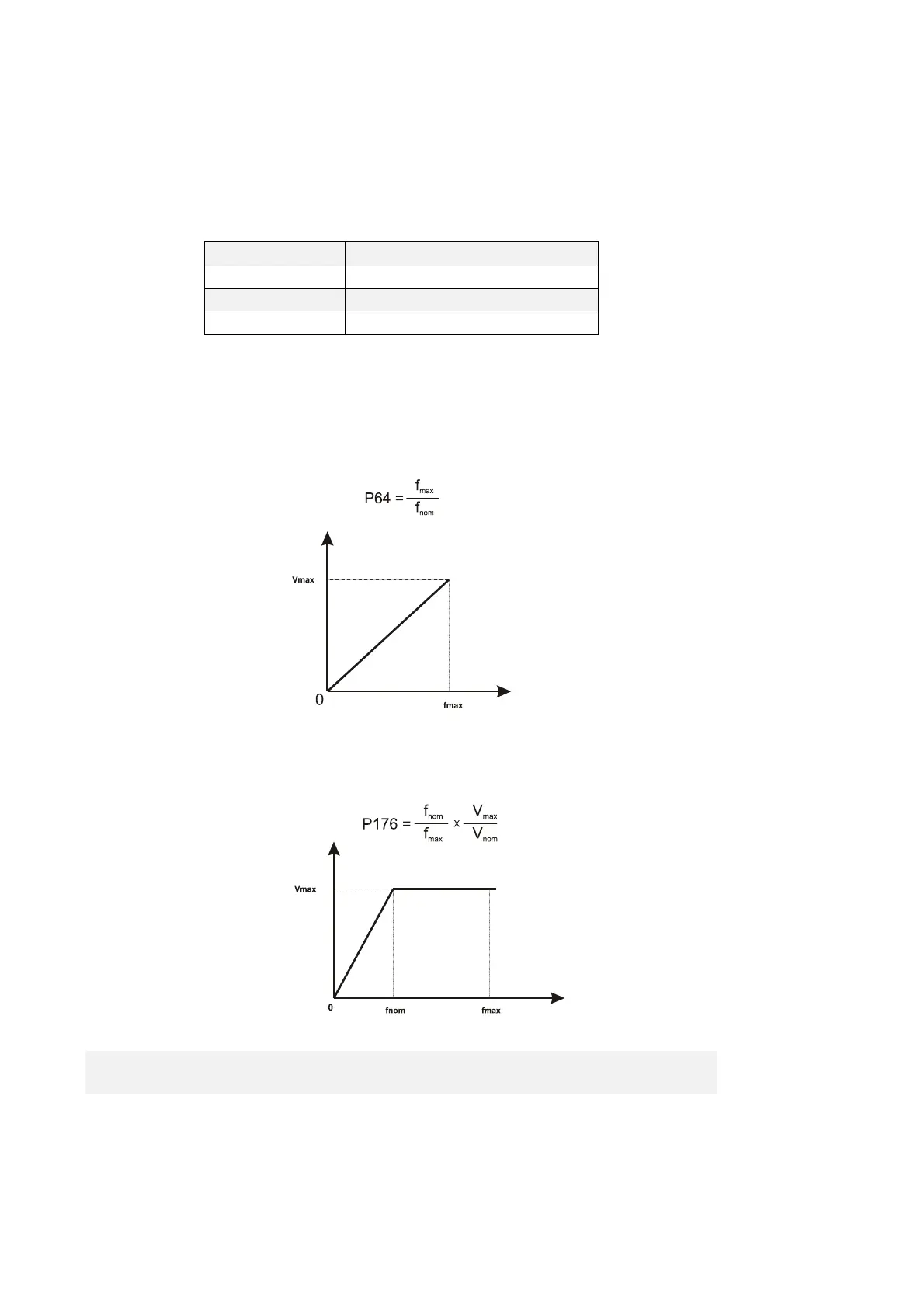
1. Linear way :
In this case, none characteristic points are set (P174-P175-P176-P177=0) and the maximum
operating voltage P64 is set:
2. Characteristic FLUX WEAKENING AREA:
3.
When the maximum motor frequency is greater than nominal frequency automatically is set
one characteristic point into nominal knee:
P175= 100%
2.4.2 MANUAL SETTING OF WORKING VOLTAGE/FREQUENCY
CHARACTERISTIC
Using the parameters P175 , P176 , P177 and P178 it is possible to define a three-section working
curve by points (so as to be better able to adjust to the desired characteristics).



 To Next Page