5
1.3
Front Panel Display and Indicators
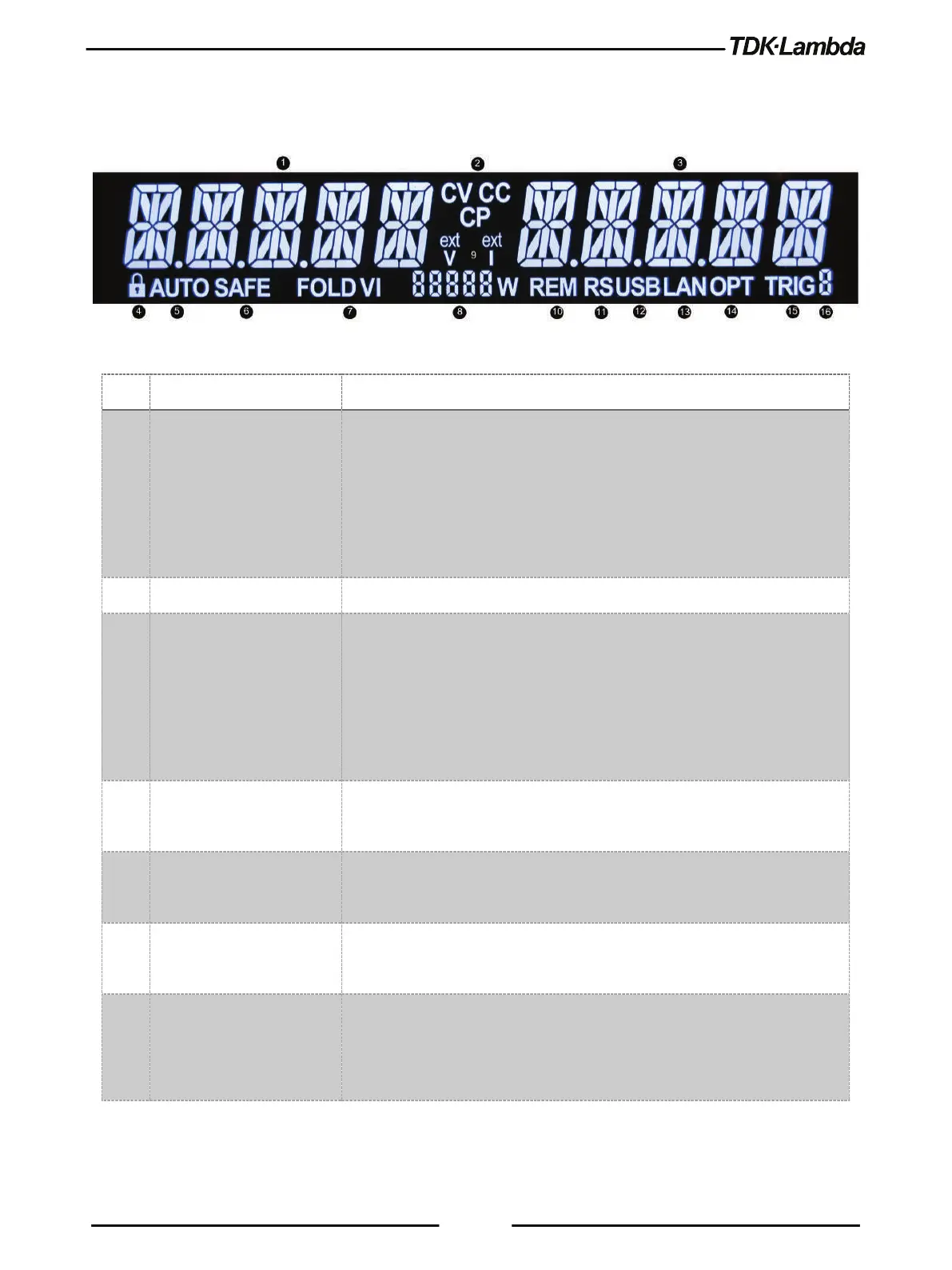
Refer to Figure 1–2 and Table 1-2 for description of the Front Panel display and indicators.
Figure 1–2: Front Panel Display and Indicators
1 Voltage Display 4-digit 16-segment Voltage display.
Normally displays the output voltage.
In preview mode, the display indicates the program setting of the output
voltage.
In menu navigation, the display indicates the selected function.
CV/CC/CP operation mode indicator.
3 Current Display 4-digit 16-segment Current display.
Normally displays the output current.
In preview mode, the display indicates the program setting of the output
current.
In menu navigation, the display indicates the selected parameter.
4 LFP Indicator Locked Front Panel indicator.
LFP is on if the Front Panel is locked.
5 AUTO Indicator AUTO-Start indicator.
AUTO is on if the Auto-Start mode is active.
6 SAFE Indicator SAFE-Start indicator.
SAFE is on, if the Safe-Start mode is active.
7 FOLD VI Indicator Foldback indicator.
FOLD V is on if Foldback CV is active.
FOLD I is on if Foldback CC is active.













 To Next Page