EasyManua.ls Logo

Technics SC-S2350 - Page 48

Technics SC-S2350
60 pages
Print Icon
To Next Page IconTo Next Page
To Previous Page IconTo Previous Page
Loading...
Using
the
remote
control
A
amn
A
vr
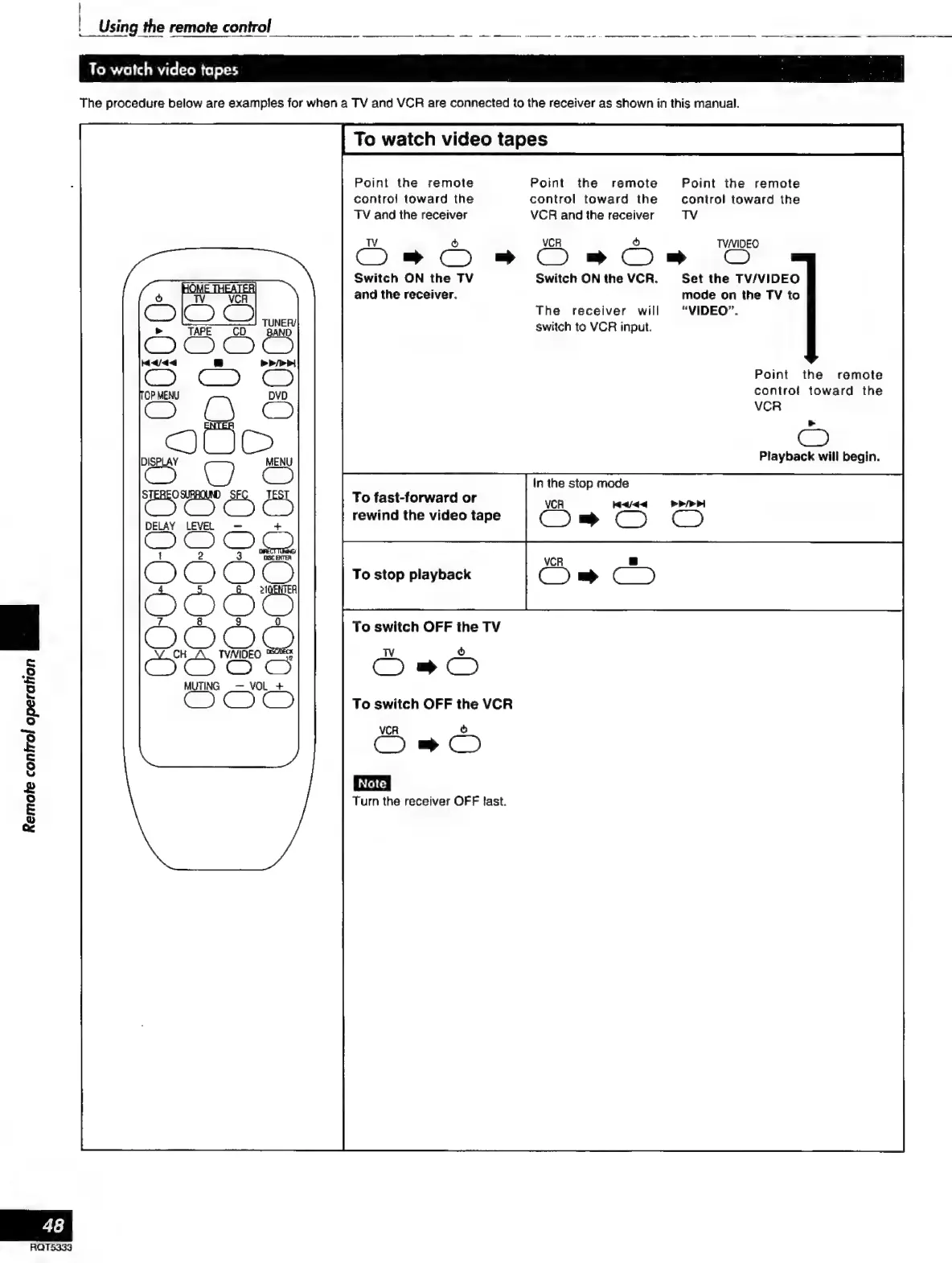
To
watch
video
tapes
The
procedure
below
are
examples
for
when
a
TV
and
VCR
are
connected
to
the
receiver
as
shown
in
this
manual.
To
watch
video
tapes
Point
the
remote
Point
the
remote
Point
the
remote
control
toward
the
control
toward
the
control
toward
the
TV
and
the
receiver
VCR
and
the
receiver
TV
C
ó
Om
On
Oman
O
Switch
ON
the
TV
Switch
ON
the
VCR.
Set
the
TV/VIDEO
SES
and
the
receiver.
mode
on
the
TV
to
The
receiver
will
“VIDEO”.
SS
a
switch
to
VCR
input.
T
Point
the
remote
control
toward
the
VCR
>
©
MENU
Playback
will
begin.
Cc)
In
the
stop
mode
CS
ES
a
To
fast-forward
or
VCR
Muda
>»!
rewind
the
video
tape
Com
O
O
T
DELAY
LEVEL
+
To
stop
playback
OO
Q
To
switch
OFF
the
TV
Bie
TVNIDEO
Sete
TV
ò
GOGG
SO
MUTING
_—
mene
To
switch
OFF
the
VCR
VCR
Ss
D
[Note
Turn
the
receiver
OFF
last.
Remote
control
operation
a
RQT5333

Related product manuals