17LIVE
Buttons that stay active during the exercise
Change eort level buttons (Bike, Recline, Synchro, Vario, Climb and Top)
Use the + and - buttons in the level box to change the level of diiculty during the exercise� The level increases or decreases by 1 unit each time you press
the button�
The combination of the level and the speed of movement determines the workload or power, shown in watts� You can check the power on the display during
the exercise�
For exercises that require a constant workload (speed, power, heart rate), you can also use the + and - buttons to change the workload�
SWIFTPAD
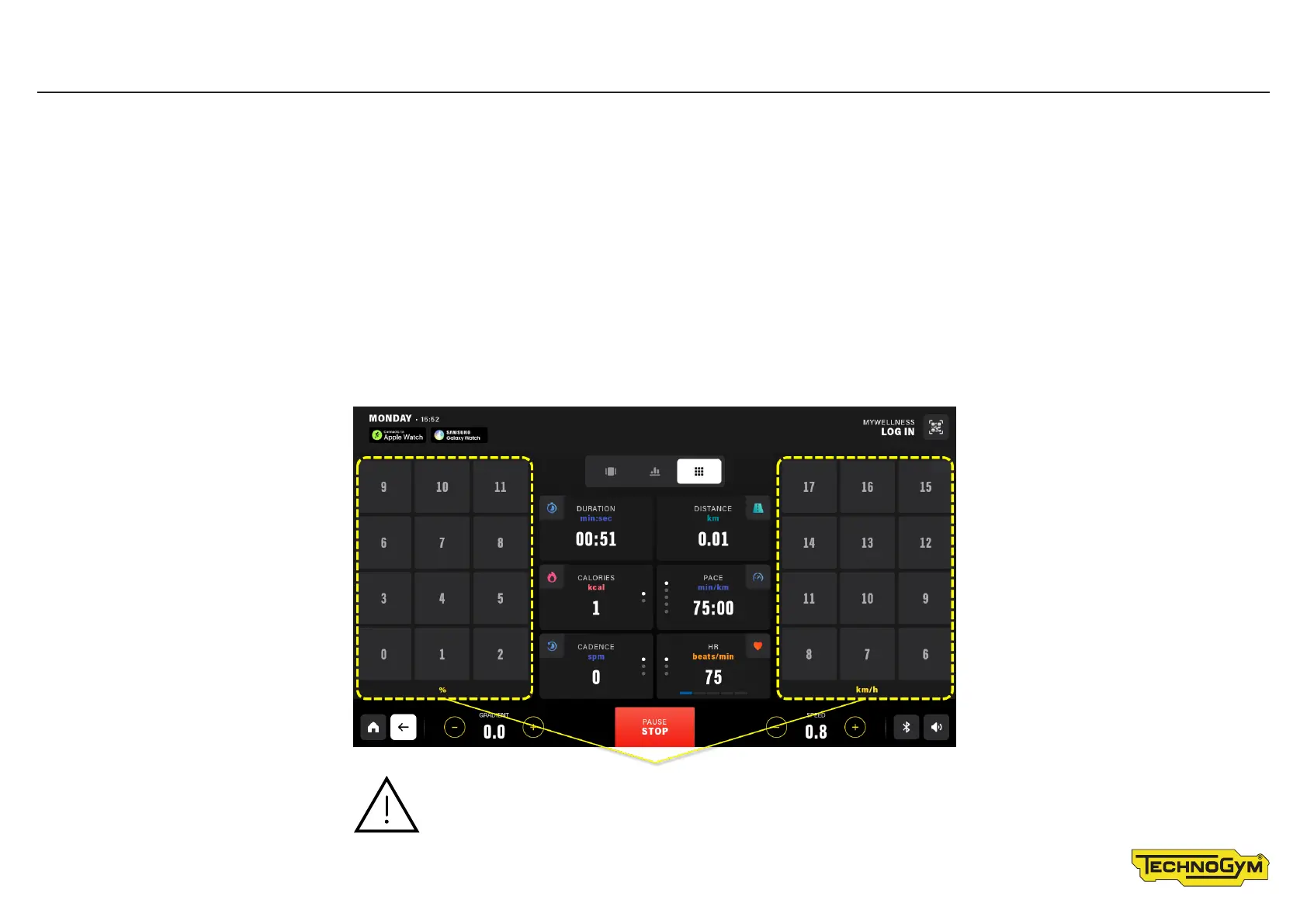
On certain products, you can use the side buttons on the dashboard (SWIFTPAD) to adjust the level/speed and gradient to the value set automatically during
the exercise� The SWIFTPAD is useful as it requires minimum interaction with the product, leaving you to concentrate on your workout� The speed is shown
in the unit of measurement entered in the SETTINGS menu, next to the HOME button�
CAUTION. The side buttons on the SWIFTPAD can be used
for faster speed/gradient changes� Speed shown in the unit of
measurement entered using the settings button�









 To Next Page