7LIVE
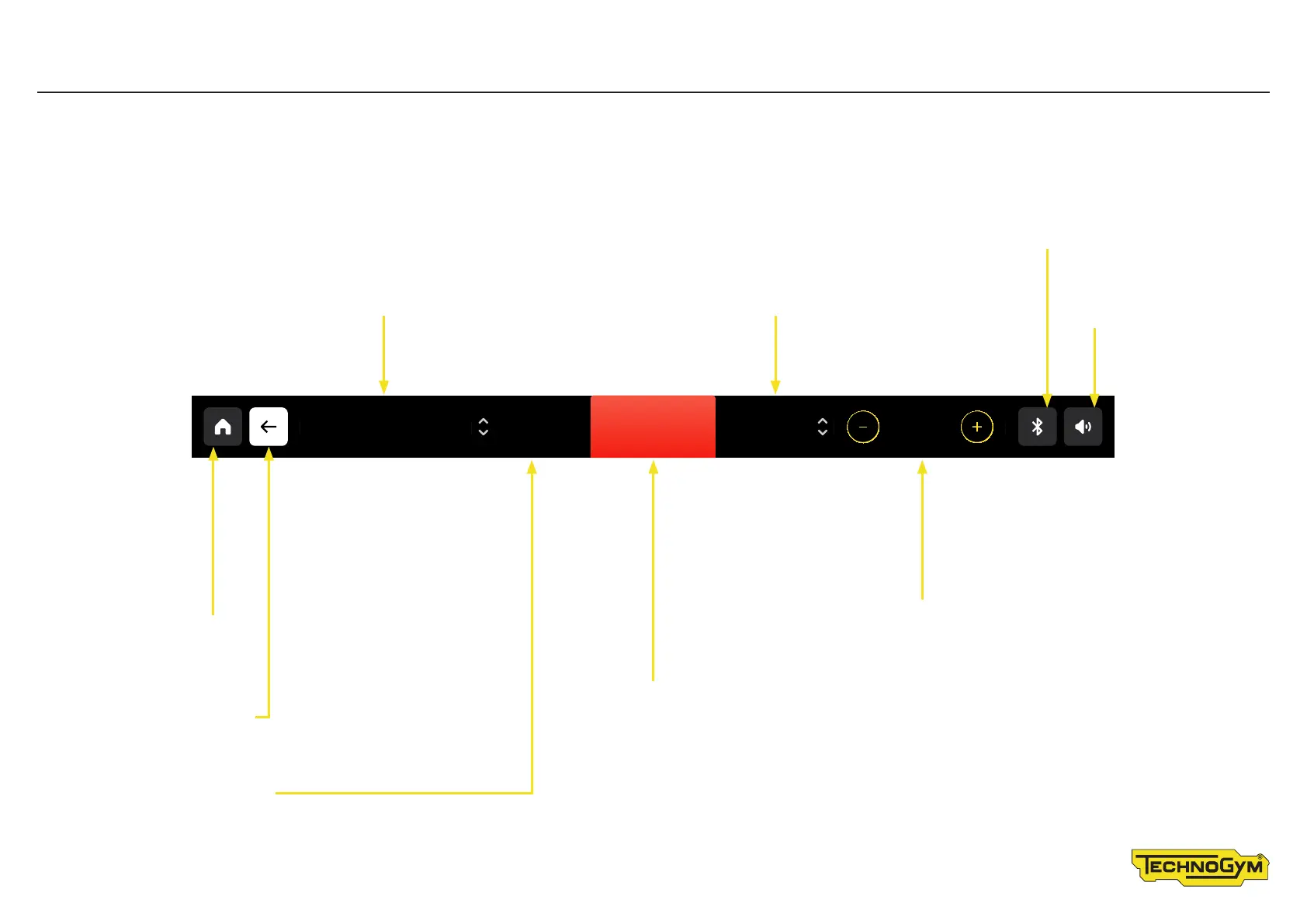
Status Bar – displaying the workout on other products
Distance covered
Speed shown in rpm, i�e� “revolutions per minute” /
Heart rate, if read, in beats per minute�
Touch the BLUETOOTH
symbol to manage the
connection of devices
Touch the AUDIO
symbol to control
the audio volume�
Touch the HOME
symbol to go to
the homepage
Touch the BACK symbol
to go back 1 level
Time left / time elapsed
STOP button
Pause the exercise�
Level modification buttons
Use the + and - buttons in the level box to change the
level of diiculty during the exercise� The level increases
or decreases by 1 unit each time you press the button�
The combination of the level and the speed of movement
determines the workload or power, shown in watts� You
can check the power on the display during the exercise�
For exercises based on a constant workload
(speed, power, heart rate), you can also use the
+ and - buttons to change the workload�
DISTANCE
0.26
RPM
86
TIME
00:12
LEVEL
1
STOP
PAUS E









 To Next Page