5LIVE
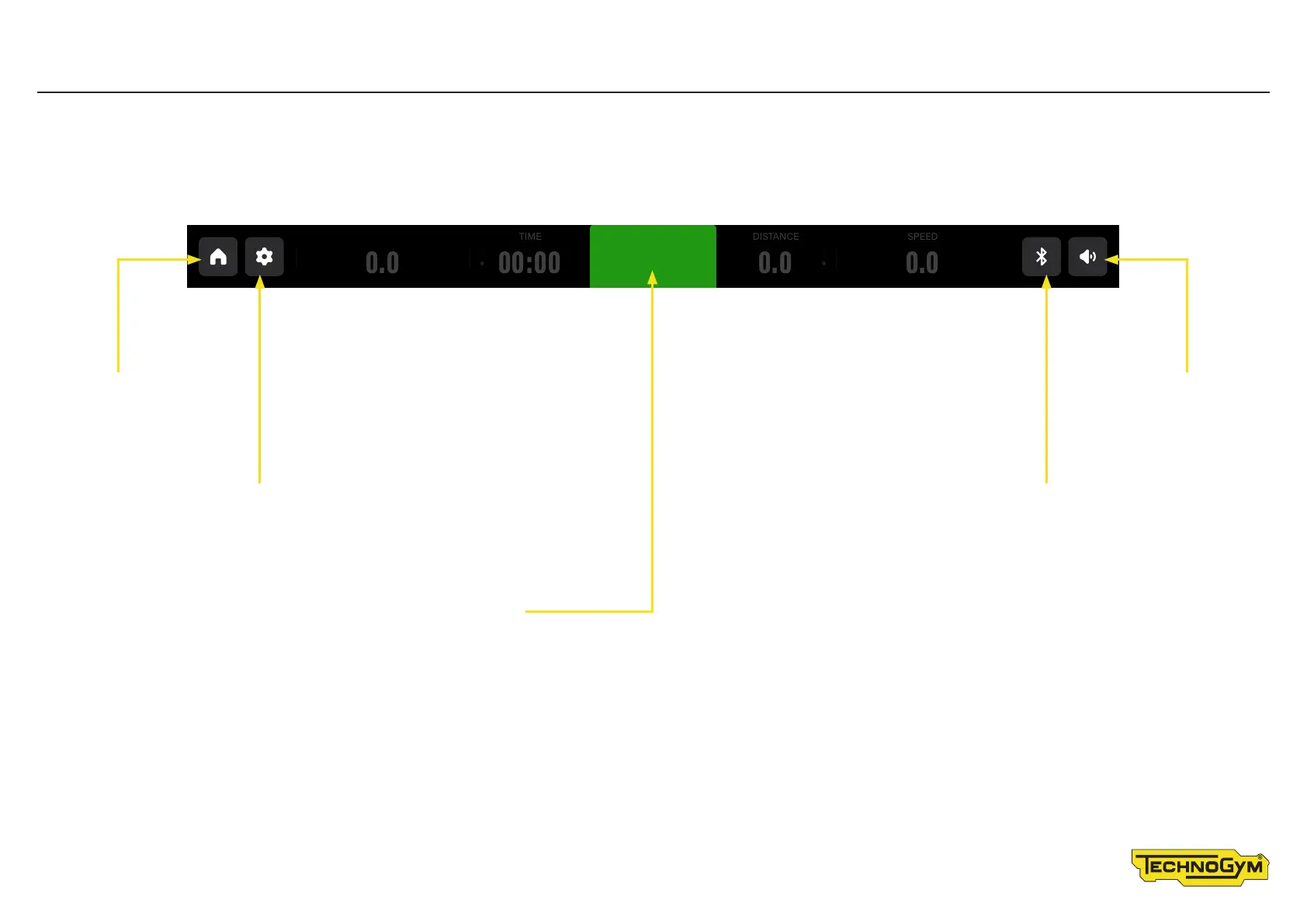
Status bar
The contents and controls you will see depend on the exercise product� The status bar is always shown�
Touch the HOME symbol
to go to the homepage
Touch the SETTINGS button to change language,
measurement unit, and operate the fans
Press START to begin an exercise on a time-increase basis; the age and
weight values are predefined, i�e� 30 years and 70 kilograms�
For Bike, Recline, Synchro and Vario, this exercise is at
constant torque and starts at eort level 1�
For Top, this exercise is at constant torque and starts at eort level 5�
For Climb, this exercise is at constant speed and starts at eort level 1�
For Run, the starting speed of the belt is 0�8 km/h, with a 0% gradient�
Touch the BLUETOOTH symbol to
manage the connection of devices
Touch the AUDIO
symbol to control
the audio volume�
TIME
00:000.0
DISTANCE
0.0
SPEED
0.0
STA RT
GRADIENT









 To Next Page