TP8-64 - User Manual Control by keypoint
5-5
CHECK SYSTEM STATUS
Prior to arming of the control panel, always check system status with the help of yellow
OCG LED:
z LED blinking = general alarm (e.g. low battery, power failure, tamper)
active or system armed (i.e. one of the 8 programs is
armed) and program alarm active
z LED on = alarm memory
CHECK PROGRAM LED STATUS
The 3 LED (green, yellow, red) indicate the status of the 3 programs associated:
z LED on = program armed
z LED off = program disarmed
z LED blinking quickly
(2 flashes per second) = exit time, arming phase or warning of end of by-pass
active
z LED blinking slowly
(1 flash per second) = program partset or not OK during the arming phase
5.2.1.1 SINGLE ARMING
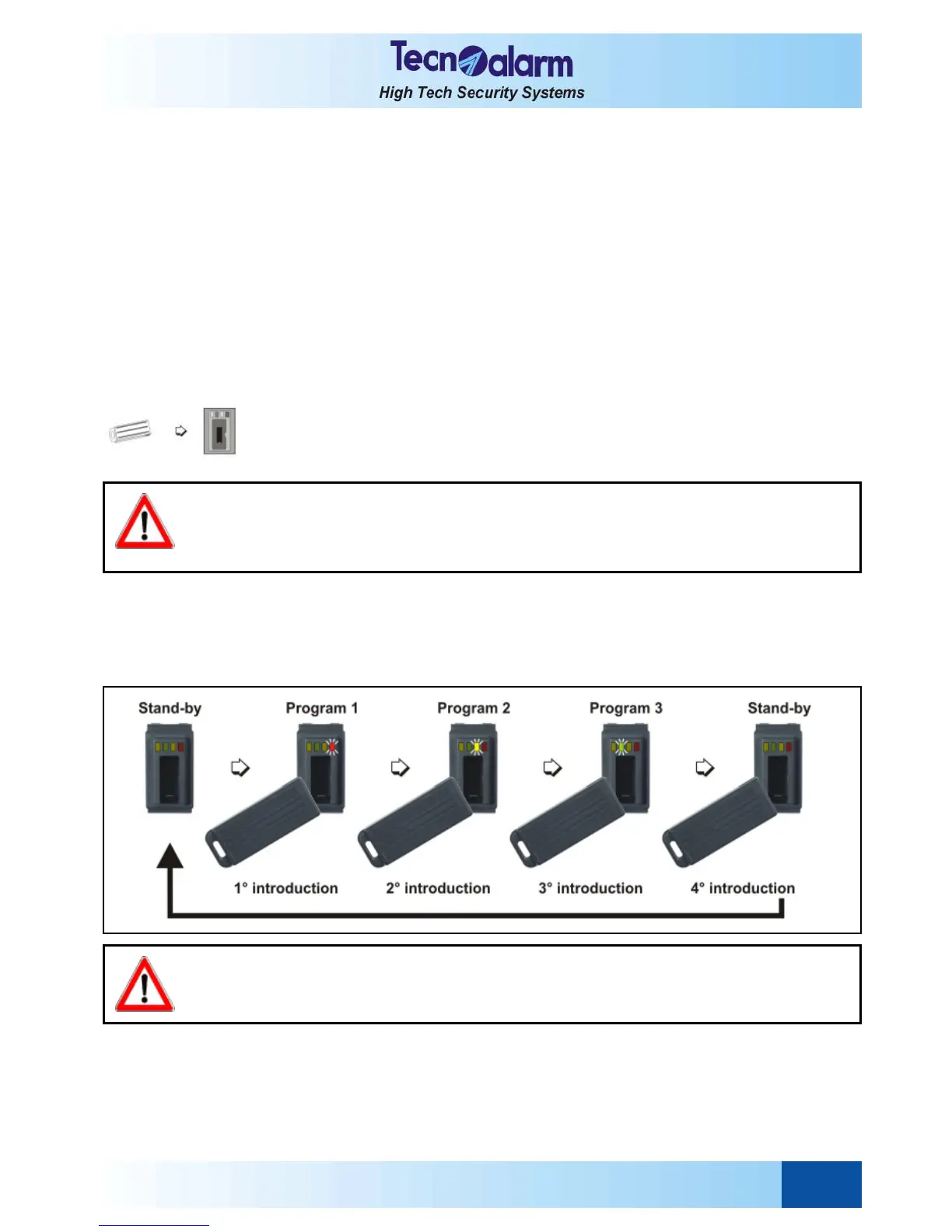
Introduce the electronic key into the key reader.
The LED of the first program associated to the key blinks quickly for 3 seconds.
After 3 seconds, the LED corresponding to the program selected starts blinking slowly
and the 10-seconds zone exclusion time is started.
Remove the key from the key reader.
ZONE EXCLUSION TIME
For 10 seconds after selecting the program, it is possible to exclude manually the open
zones with a procedure explained lateron.
If you do not wish to exclude any zone, it is however possible to select another program
deselecting the one you have only just selected by introducing the key into the key
reader again.
WARNING
If the key is removed and reintroduced within 3 seconds the next program is selected etc. until
selecting the third program after which the key reader returns to stand-by.
This is valid only if the first 3 programs of the control panel are associated to the key. The programs not
associated are not viewed nor activated.
WARNING
On arming of a program in presence of open zones, the alarm devices programmed (sirens/logic
outputs/telephone channels) are activated unless the open zones are exluded with a procedure
explained lateron.



 To Next Page