7
98-05141 R2www.teejet.com
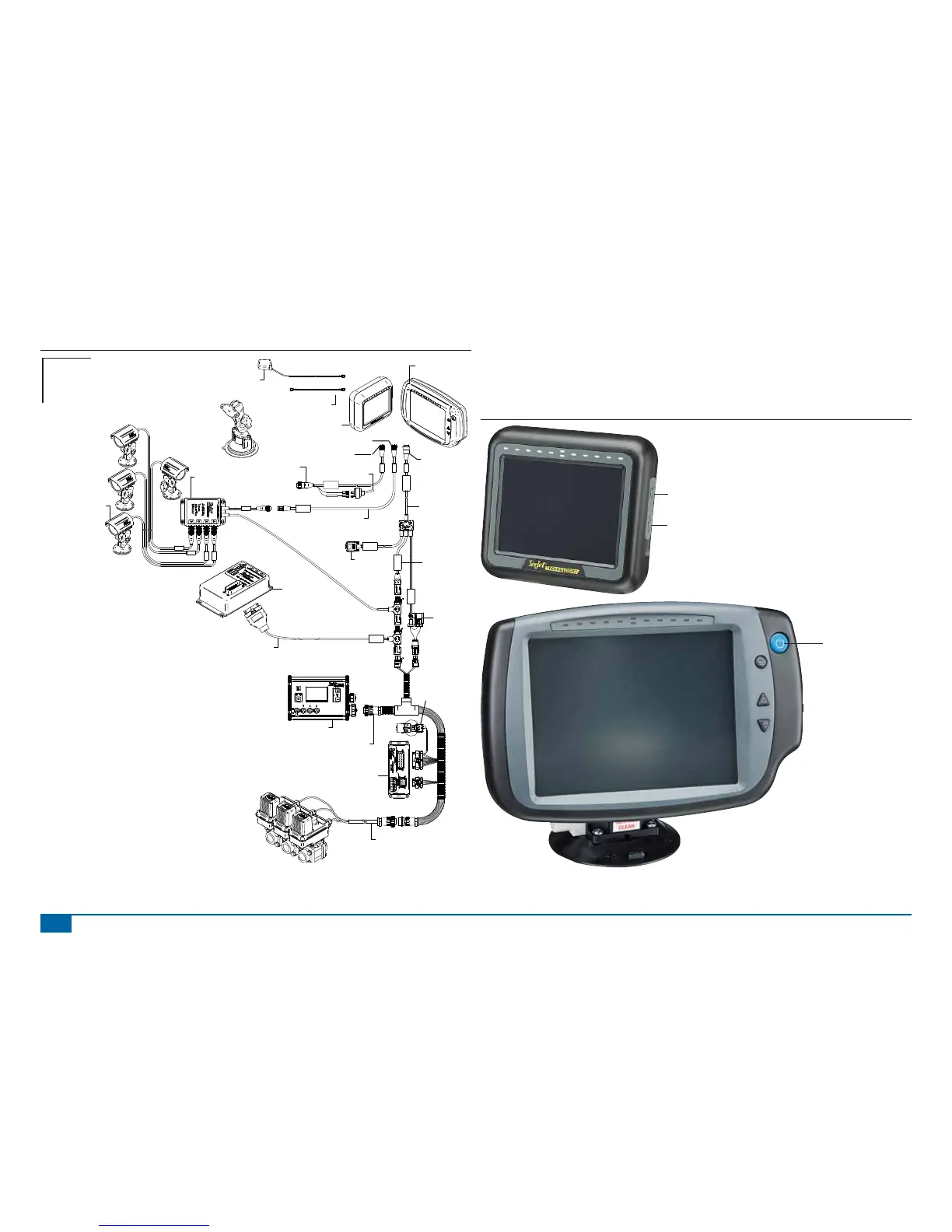
Figure 1-18: Matrix 570G w/VSM, Tilt Gyro and BoomPilot
POWER IN
CAN
RS-232
Power/DATA
45-05626
45-05626
Pwr/CAN/Data
Cable
(included with
FieldPilot and
BoomPilot kits)
3A Fuse
8 Pos.
RS-232
TJ CAN
(Terminated)
CAN
78-08057
Tilt Gyro
Module (TGM)
45-07716
TGM Harness
78-05077
BoomPilot
Section Driver
Module
(15 sections)
BoomPilot Harness
Part number
dependent on Rate Controller
Console Harness
Rate Controller
Remote ABSC
Status Switch
Connection
16-00022
RealView Camera
78-08067
Module, 4CH
Video CAN
to Optional RXA GPS Antenna
45-05678
Cable, SMA-M X SMA-M
4 Pos.
8 Pos.
Speed Cable
Camera
45-05617: 20'
45-05618: 60'
Camera Extension Cable
45-05615 4 Pos.
45-05765 8 Pos.
Speed/Sense Cable
5 Pos.
+12V
32-50008
Switch
78-50155
GPS Ant.
Matrix 570G
75-30055
75-30056 w/ClearPath
Kit, RAM Mount w/Suction Cup
90-02349 (Matrix 570G)
90-02700 (Matrix 840G)
Matrix 840G
75-30070
75-30071 w/ClearPath
Matrix
FieldPilot
BoomPilot
Optional Accessory
POWER ON/OFF
Press the power button to power on the console. Upon power up, the Matrix will begin its Start Up
Sequence.
Press and briefl y hold the power button (until the screen turns black) to power off the console.
Figure 1-19: Power Button
Power Button
USB Port with Rubber Cover
Power Button



 To Next Page