49
98-05141 R2www.teejet.com
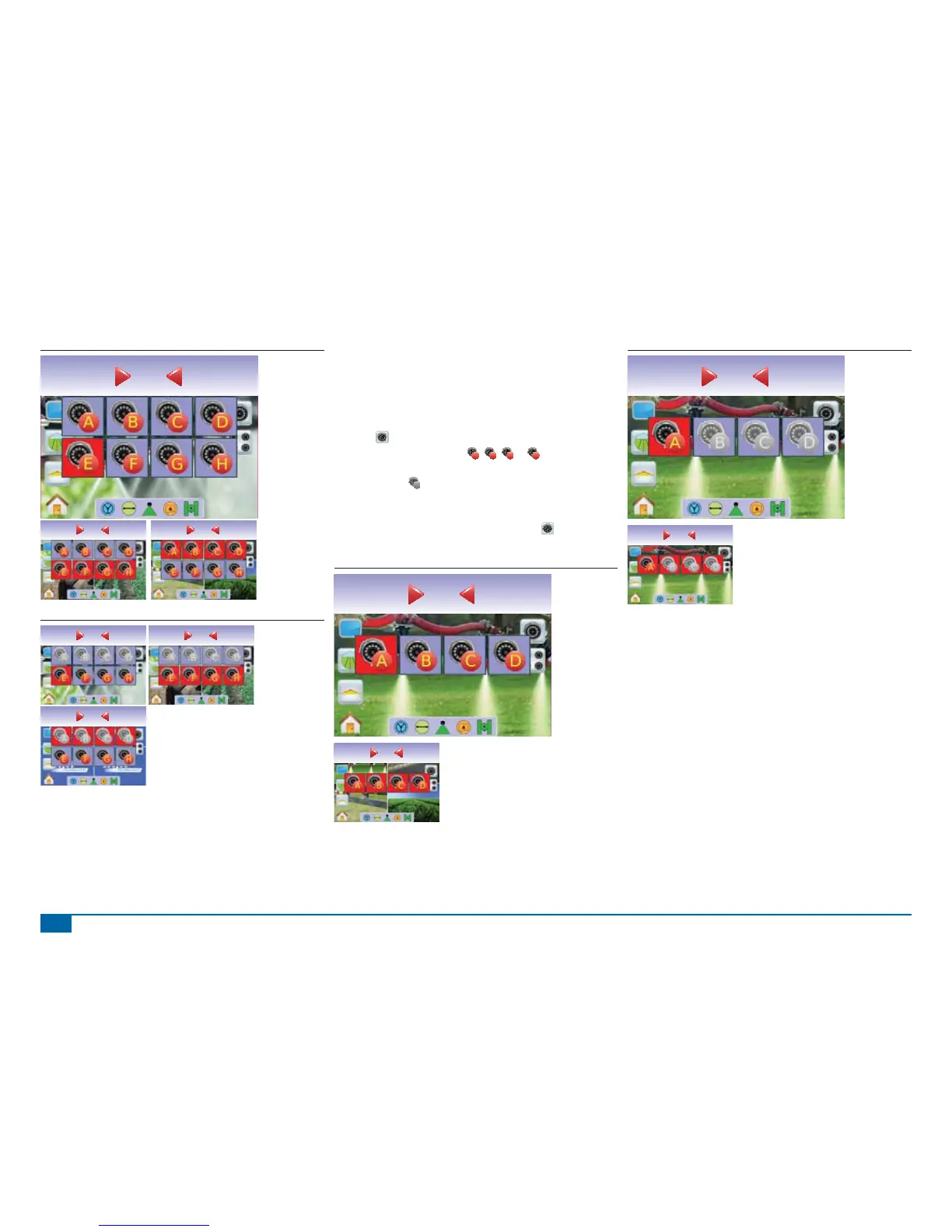
Figure 3-54: Camera Selection
Swath acres
0.00
0.0
mph acres
0.00
0.0
mph acres
0.00
0.0
Figure 3-55: Cameras A/B/C/D Unavailable
mph acres
0.00
0.0
mph acres
0.00
0.0
mph acres
0.00
0.0
Four Channel VSM
When a four (4) channel VSM is on the system, up to four (4)
cameras can be installed. Only Cameras A, B, C and D will be
available for setup.
To change active a single camera view:
1. Press the screen to activate the icons and select the VIDEO
ICON
.
2. Press the desired CAMERA
A
,
B
,
C
or
D
to change the
video view.
NOTE: A camera
C
is not available for selection (grayed out) when
unavailable. If no icons are available, a VSM is installed, but
a single camera is directly attached.
NOTE: If a VSM is not installed, the VIDEO ICON is not
available.
Figure 3-56: Camera Selection
Swath acres
0.00
0.0
mph acres
0.00
0.0
Figure 3-57: Only One Camera Available
Swath acres
0.00
0.0
mph acres
0.00
0.0



 To Next Page