●
56
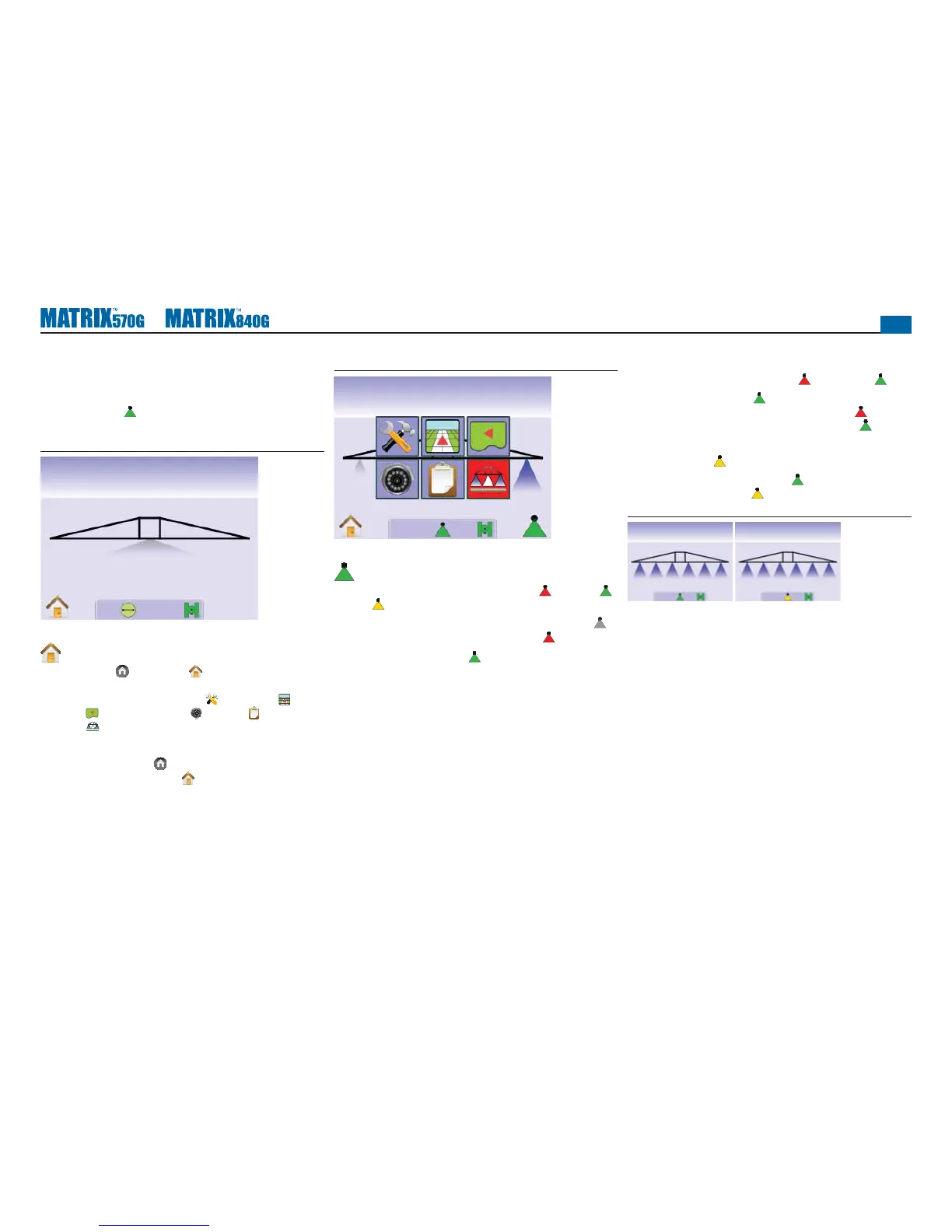
BoomPilot is Unavailable
If a SmartCable or Section Driver Module (SDM) is not present, a
status switch must be used. Only one section will be illustrated, the
BOOMPILOT ICON
will be unavailable and the Status Bar will
have no icon.
Figure 4-14: Boom Unavailable
mph acres
0.03.3
Home Menu
The Home Button or Home Icon gives you access to the
unit’s three functions: Setup, Guidance and Monitoring. The six
touch screen Menu Options (Unit Setup , Vehicle View ,
Field View , RealView Guidance , Job View and Boom
Monitoring ) quickly access all aspects of the unit.
To view the Home Menu options:
1. Press HOME BUTTON or press the screen to activate the
icons and select HOME ICON in bottom left corner of screen.
Figure 4-15: Home Menu
Swath acres
0.00
BoomPilot
BoomPilot is used to set BoomPilot to Off/Manual , Automatic
or All On .
NOTE: GPS is unavailable when the BOOMPILOT ICON is gray .
BoomPilot status bar icon will be Off/Manual .
NOTE: The BOOMPILOT ICON is unavailable if a SmartCable or
Section Driver Module (SDM) is not present. To activate the
boom, a status switch must be used. Only one Boom Section
width will be illustrated and the Status Bar will have no icon.
Guidance with SmartCable or SDM
• Turn the controller master switch to the “On” position. The
individual boom section switches should remain in the “Off”
position.
• In areas where application is not desired, manually turn “off”
the rate controller master switch to shut off the booms. Turn the
master switch “on” to resume application.
NOTE: This does not apply unless a SmartCable or SDM is installed
on the system.
Off/Manual & Automatic
To switch BoomPilot between Off/Manual and Automatic
1. Press BOOMPILOT ICON
.
◄Off/Manual – Status Bar Icon will change to Red
◄Automatic – Status Bar Icon will change to Green .
All Booms On Mode
To turn all booms on
1. Press and hold BOOMPILOT ICON .◄All On – Status Bar
Icon will change to Yellow .
Figure 4-16: Automatic to All Booms On Mode
mph acres
10.25
mph acres
10.25



 To Next Page