●
48
Steering Angle Indicator
Steering Angle Indicator displays the direction in which the steering
wheel needs to be adjusted.
To activate Steering Angle Indicator:
1. Press the screen to activate the icons and select the STEERING
ANGLE ICON .
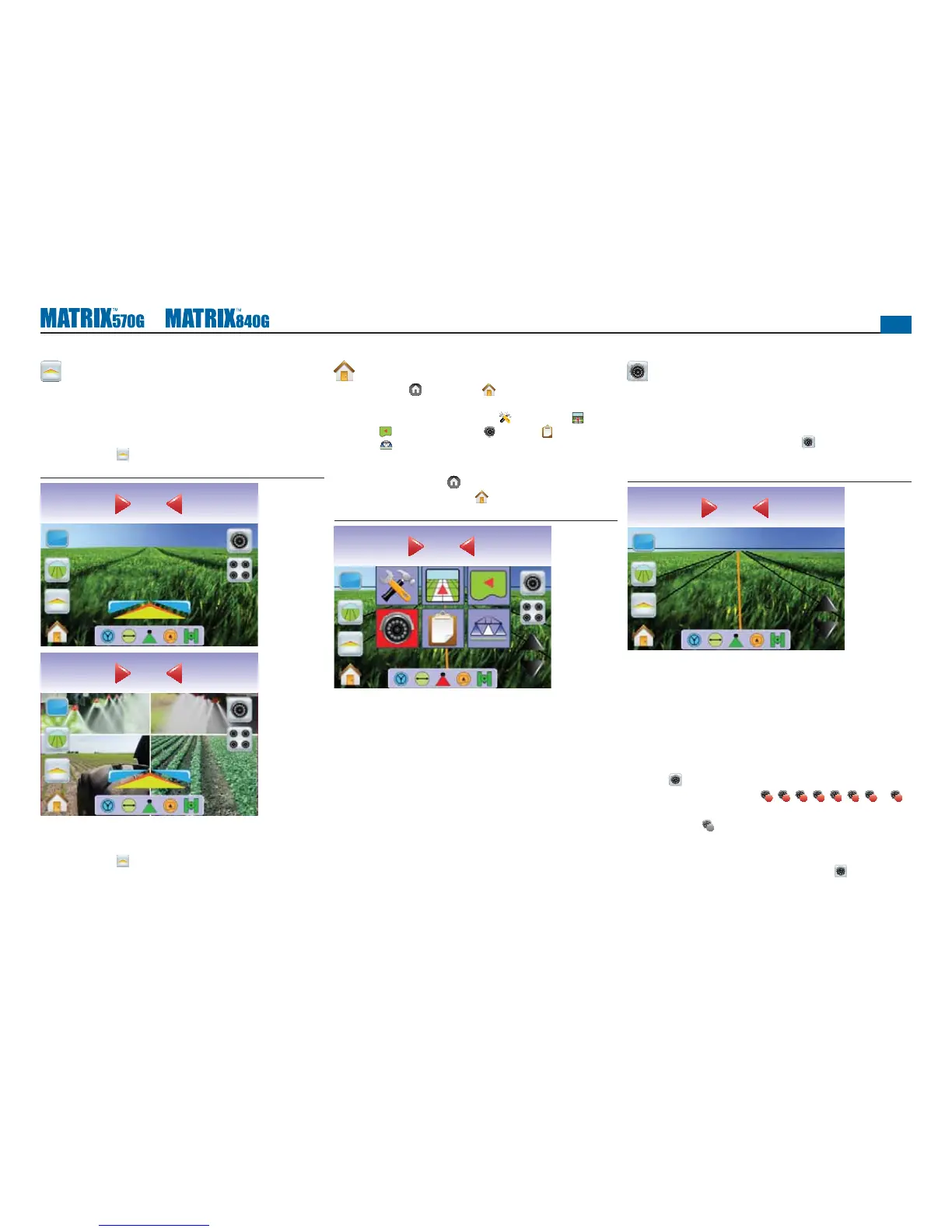
Figure 3-51: Steering Angle Indicator
mph acres
2.35.6
0.0
mph acres
2.35.6
0.0
To turn off the Steering Angle Indicator:
1. Press the screen to activate the icons and select the STEERING
ANGLE ICON .
Home Menu
The Home Button or Home Icon gives you access to the
unit’s three functions: Setup, Guidance and Monitoring. The six
touch screen Menu Options (Unit Setup , Vehicle View ,
Field View , RealView Guidance , Job View and Boom
Monitoring ) quickly access all aspects of the unit.
To view the Home Menu options:
1. Press HOME BUTTON or press the screen to activate the
icons and select HOME ICON in bottom left corner of screen.
Figure 3-52: Home Menu
Swath acres
0.00
0.0
Single Camera Selection
One of up to eight camera views can be activated in RealView
Guidance if a Video Selection Module (VSM) is attached.
No VSM
If a VSM is not installed, the VIDEO ICON is not available and
only one (1) video feed will be available.
Figure 3-53: VSM Not Installed
Swath acres
0.00
0.0
Eight Channel VSM
When a eight (8) channel VSM is on the system, up to eight (8)
cameras can be installed.
NOTE: If installing four or less cameras, all in ports A, B, C or D,
setup screens will follow Four Channel VSM instructions.
To change active a single camera view:
1. Press the screen to activate the icons and select the VIDEO
ICON .
2. Press the desired CAMERA
A
,
B
,
C
,
D
,
E
,
F
,
G
or
H
to change the video view.
NOTE: A camera
C
is not available for selection (grayed out) when
unavailable. If no icons are available, a VSM is installed, but
a single camera is directly attached.
NOTE: If a VSM is not installed, the VIDEO ICON is not
available.



 To Next Page