33
98-05141 R2www.teejet.com
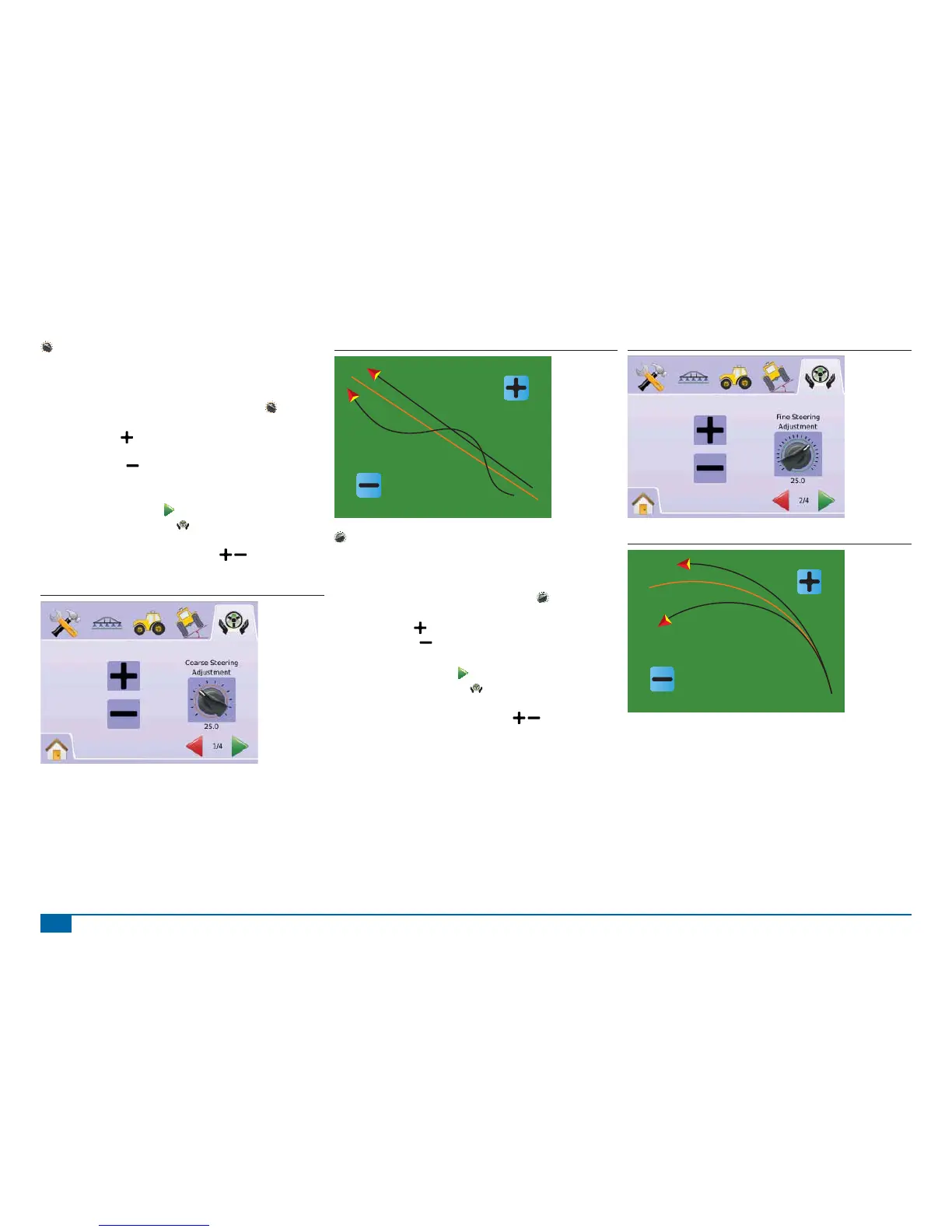
Coarse Steering Adjustment
Coarse Steering Adjustment adjusts how aggressively the vehicle
maintains a guideline in Straight A-B Guidance mode. Range is 1.0
- 100.0.
1. Press COARSE STEERING ADJUSTMENT ICON
.
2. Press
►PLUS ICON if the vehicle is drifting away from the
guideline or not approaching it fast enough.
►MINUS ICON if the vehicle is oscillating rapidly or
overshooting the guideline.
3. Press
►PAGE RIGHT ARROW to proceed to Fine Adjustment.
►FIELDPILOT SETUP TAB to return to main FieldPilot
Setup.
NOTE: Press & hold PLUS/MINUS ICONS to quickly adjust
settings.
Figure 2-70: Coarse Adjustment
Figure 2-71: Example of Coarse Adjustment
Fine Steering Adjustment
Fine Steering Adjustment adjusts how aggressively the vehicle
maintains a guideline in Curved A-B Guidance mode. Range is 1.0 -
100.0.
1. Press FINE STEERING ADJUSTMENT ICON .
2. Press
►PLUS ICON if the vehicle drives outside of corners.
►MINUS ICON if the vehicle cuts corners.
3. Press
►PAGE RIGHT ARROW to proceed to Deadband.
►FIELDPILOT SETUP TAB to return to main FieldPilot
Setup.
NOTE: Press & hold PLUS/MINUS ICONS to quickly adjust
settings.
Figure 2-72: Fine Steering Adjustment
Figure 2-73: Example of Fine Steering Adjustment



 To Next Page