●
28
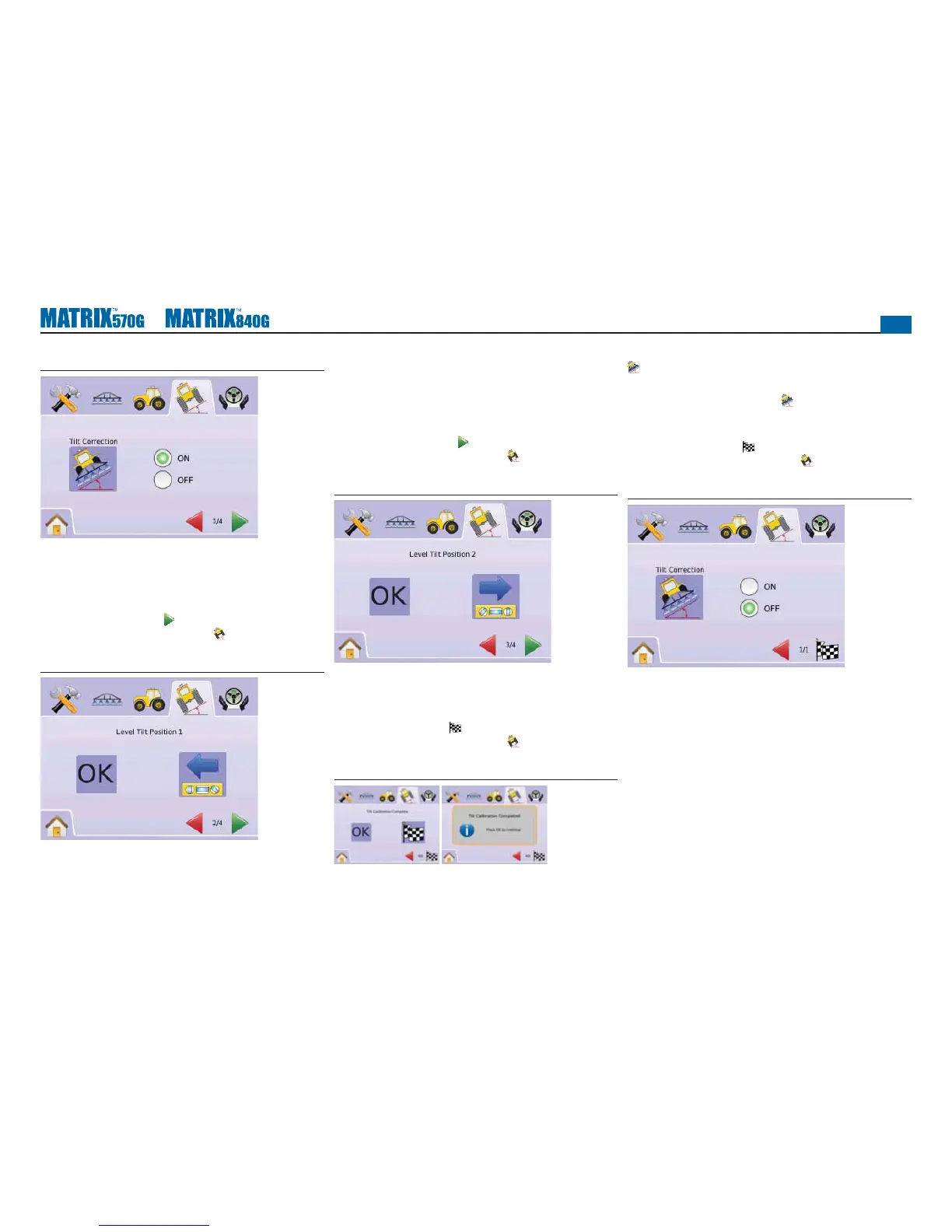
Figure 2-54: Tilt Correction On
Level Tilt Position 1
4. Position the vehicle on a level surface.
5. Press
►OK ICON
OK
to Level Tilt Position 2.
►PAGE RIGHT ARROW to Level Tilt Position 2.
►TILT GYRO MODULE SETUP TAB to return to main Tilt
Gyro Module Setup screen.
Figure 2-55: Level Tilt Position 1
Level Tilt Position 2
6. Turn the vehicle 180 degrees and reposition the vehicle in the
same location.
7. Press
►OK ICON
OK
to Tilt Calibration Complete.
►PAGE RIGHT ARROW to Tilt Calibration Complete.
►TILT GYRO MODULE SETUP TAB to return to main Tilt
Gyro Module Setup screen.
Figure 2-56: Level Tilt Position 2
Tilt Calibration Complete
8. Press
►OK ICON
OK
►CHECKERED FLAG to complete Tilt Gyro Module Setup.
►TILT GYRO MODULE SETUP TAB to return to main Tilt
Gyro Module Setup screen.
Figure 2-57: Tilt Calibration Completion
Tilt Correction Off
Tilt Correction is used to turn on/off Tilt Gyro Module (TGM).
1. Press TILT CORRECTION ICON
2. Select “Off”
3. Press
►CHECKERED FLAG to complete Tilt Gyro Module Setup.
►TILT GYRO MODULE SETUP TAB to return to main Tilt
Gyro Module Setup screen.
Figure 2-58: Tilt Correction Off



 To Next Page