21
98-05141 R2www.teejet.com
Video
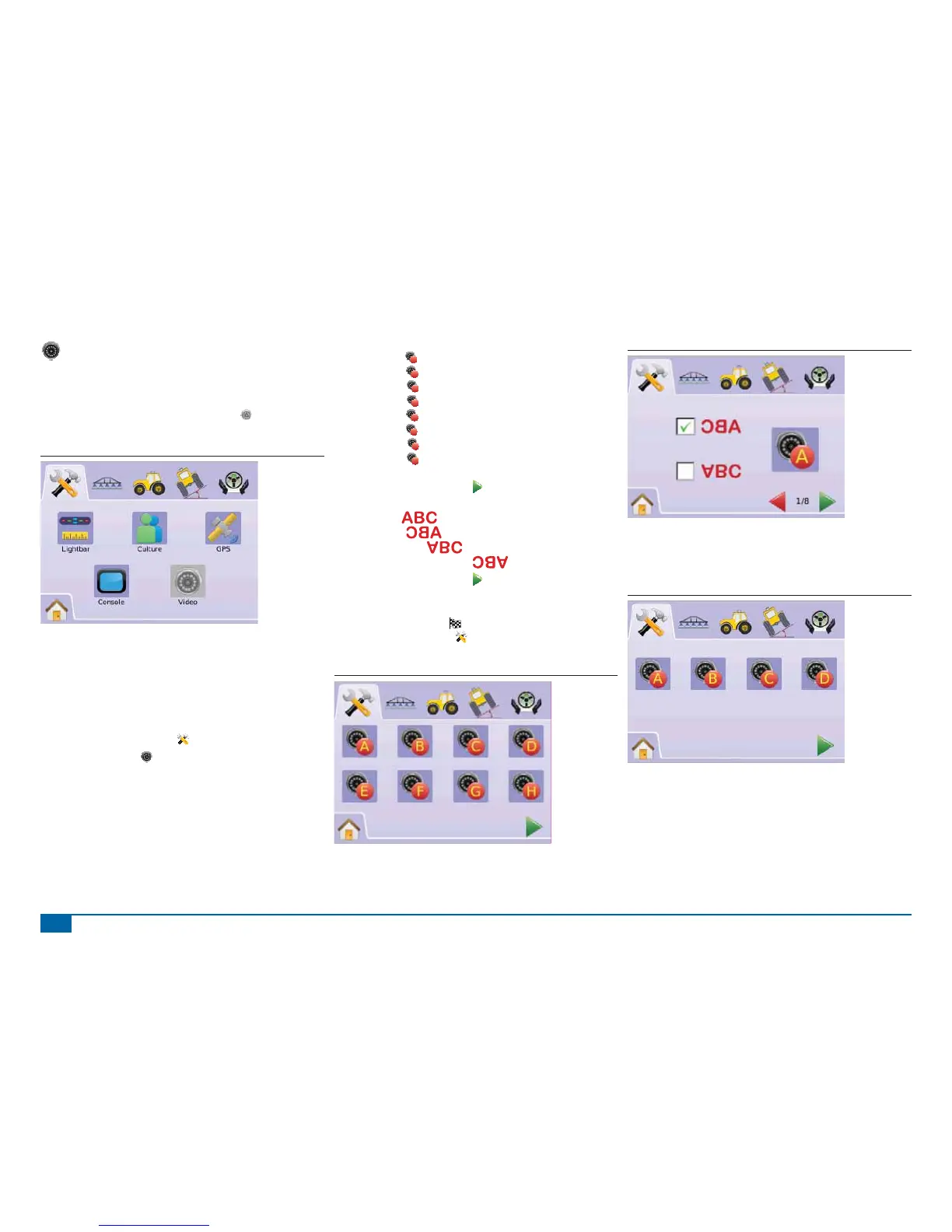
Video Setup is used to set up individual cameras while using a Eight
(8) Channel or Four (4) Channel Video Selector Module (VSM). Up to
8 cameras can be confi gured if a VSM is installed.
NOTE If a VSM is not installed, VIDEO SETUP
is not available
for selection (grayed out) .
Figure 2-32: Video Unavailable
NOTE: Video Setup will not change the setting of a directly
connected camera even when a VSM is on the system.
Adjusting options will not affect a direct camera attachment.
Eight Channel VSM
When a eight (8) channel VSM is on the system, up to eight (8)
cameras can be installed and confi gured.
1. Press SYSTEM SETUP TAB
2. Press VIDEO ICON .
3. Select
►Camera A
A
►Camera B
B
►Camera C
C
►Camera D
D
►Camera E
E
►Camera F
F
►Camera G
G
►Camera H
H
OR
Press PAGE RIGHT ARROW to cycle through all cameras.
4. Select the appropriate check box(s):
►Normal –
►Reverse –
►Upside Down –
►Reverse & Upside Down –
5. Press PAGE RIGHT ARROW to cycle through remaining
cameras.
6. Press
►CHECKERED FLAG to complete Video Setup.
►SYSTEM SETUP TAB to return to main System Setup
screen.
Figure 2-33: Video w/Eight Channel VSM
Figure 2-34: Camera Configuration
8 Channel VMS w/Only A, B, C & D
If cameras are only installed in ports A, B, C and D, cameras E, F, G
and H will not be available for confi guring.
Figure 2-35: Camera Configuration



 To Next Page