●
10
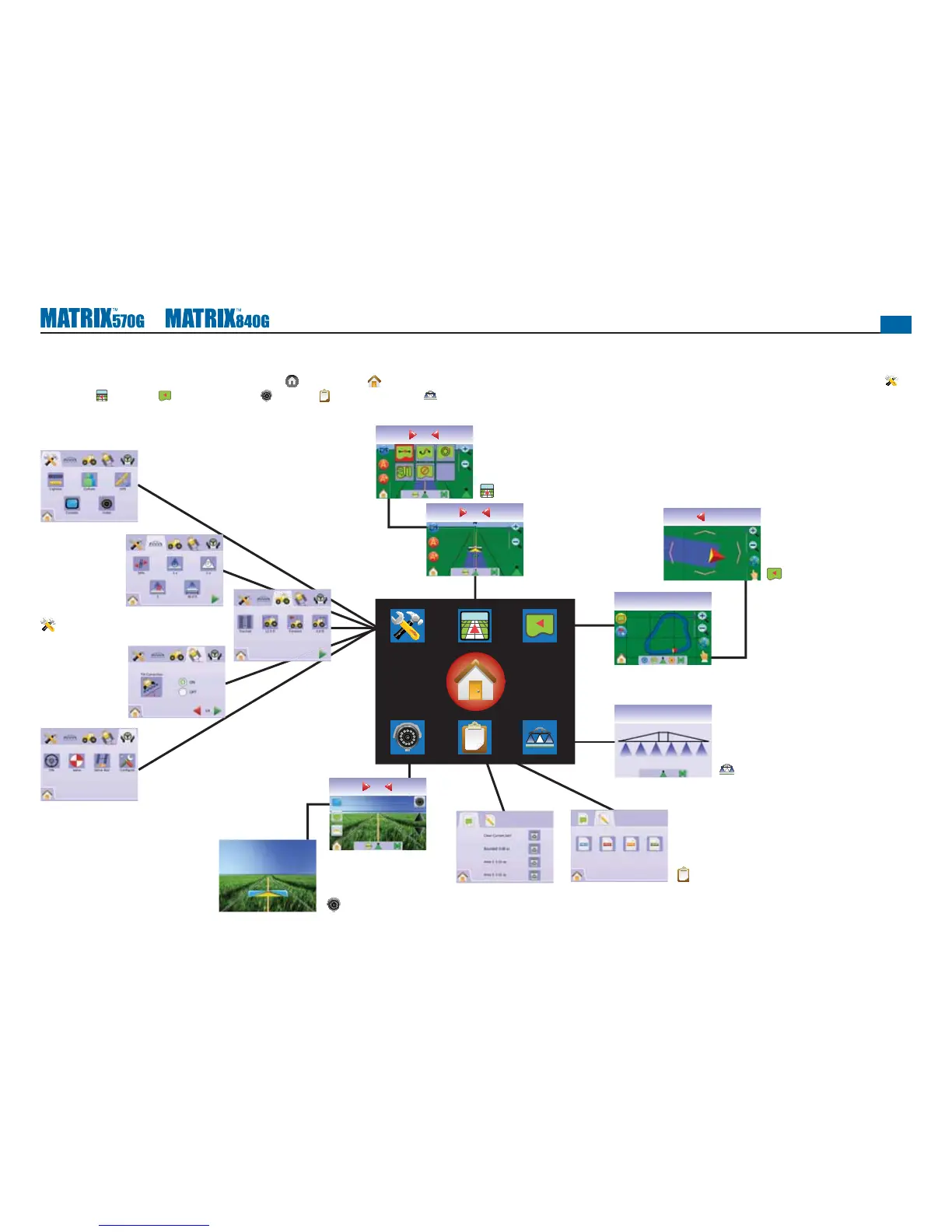
Unit Setup Screens
Vehicle View Screens
Field View Screens
Boom Monitoring Screen
Job View Screens
RealView Guidance Screens
Page Layout and Navigation
The Matrix is very simple to navigate. The HOME BUTTON or HOME ICON gives you access to the unit’s 3 functions: Setup, Guidance and Monitoring. The 6 touch screen Menu Options (Unit Setup ,
Vehicle View
, Field View , RealView Guidance , Job View and Boom Monitoring ) quickly access all aspects of the unit.
Home
Swath ha
3.570
0.0
Swath ha
3.570
0.0
km/h ha
4.9212.4
Swath ha
10.010
1.3
Swath ha
2.3-2
0.0
km/h ha
6.783.3



 To Next Page