●
14
Culture
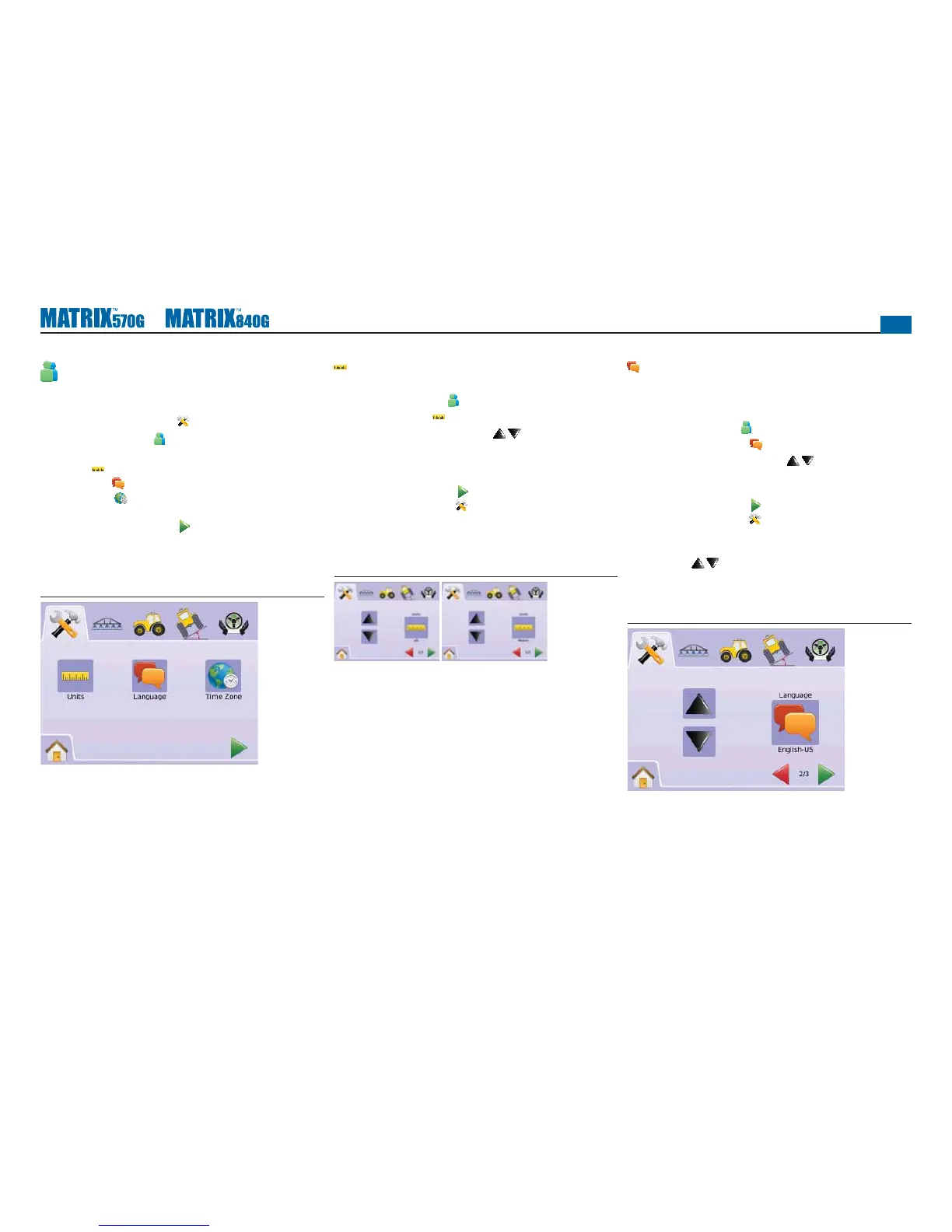
Culture is used to confi gure Units, Language and Time Zone
settings.
1. Press SYSTEM SETUP TAB
2. Press CULTURE ICON .
3. Select from:
►Units – defi nes the system measurements
►Language – defi nes the system language
►Time Zone – establishes the local time zone
OR
Press PAGE RIGHT ARROW to cycle through all settings.
NOTE: Options labels are current settings. While in a setting screen,
press icon to view available factory settings and setting
ranges.
Figure 2-11: Culture
Units
Units defi nes the system measurements (U.S. or Metric).
1. Press CULTURE ICON .
2. Press UNITS ICON .
3. Press UP/DOWN ARROW ICONS to change between:
►U.S.
►Metric.
4. Press
►PAGE RIGHT ARROW to proceed to Language.
►SYSTEM SETUP TAB to return to main System Setup
screen.
NOTE: This setting is required for FieldPilot and Tilt Sensor
Operation, as well as proper BoomPilot operation.
Figure 2-12: Units
Language
Languages defi nes the system language. Options include Czech,
Danish, Dutch, English, French, German, Hungarian, Italian, Polish,
Portuguese, Russian, Spanish and Swedish.
1. Press CULTURE ICON .
2. Press LANGUAGE ICON .
3. Press UP/DOWN ARROW ICONS to change between
languages.
4. Press
►PAGE RIGHT ARROW to proceed to Time Zone.
►SYSTEM SETUP TAB to return to main System Setup
screen.
NOTE: Press & hold UP/DOWN ARROW
ICONS to quickly adjust settings.
NOTE: This setting is required for FieldPilot and Tilt Sensor
Operation, as well as proper BoomPilot operation.
Figure 2-13: Language


 To Next Page