47
98-05141 R2www.teejet.com
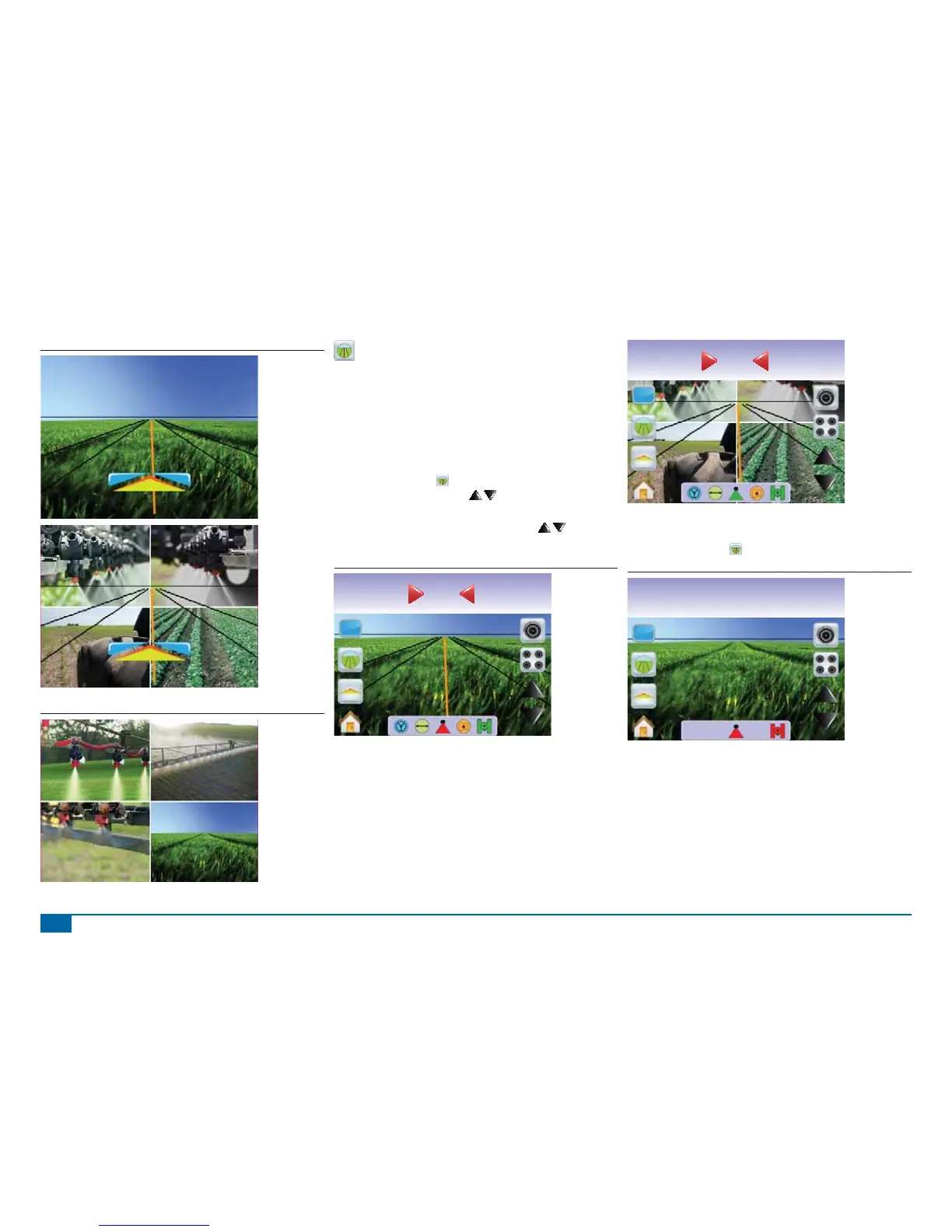
Figure 3-47: Full Screen w/Guidance & Steering
Figure 3-48: Full Split Screen
Guidance Over Video
Guidance Over Video places three dimensional guidelines over the
video feed for navigation assistance.
NOTE: Guidance (Straight A-B, Curved A-B, Circle Pivot or Last
Pass) is setup in Vehicle View or Field View. No guidelines
will be visible when guidance is unavailable.
To activate Guidance Over Video:
1. Press the screen to activate the icons and select the GUIDANCE
OVER VIDEO ICON
.
The UP/DOWN ARROW ICONS are used to adjust the
guidelines to the horizon.
NOTE: Press & hold UP/DOWN ARROW ICONS to quickly
adjust settings.
Figure 3-49: Guidance Over Video
Swath acres
2.3-2
0.0
Swath acres
2.3-2
0.0
To exit Guidance Over Video:
1. Press the screen to activate the icons and select the GUIDANCE
OVER VIDEO ICON .
Figure 3-50: Guidance Unavailable
Swath acres
2.30
No GPS



 To Next Page