25
98-05141 R2www.teejet.com
Single Boom Setup
Single Boom Setup is available when a SmartCable or Section Driver
Module (SDM) is not present. Confi gurations for Overlap, Delay On,
Delay Off, Number of Boom Sections will not be available, and only
one boom section width can be entered.
Boom Section Width
Boom Section Width establishes the width of entire swath. Range is
34.0 - 1968.5 inches / 0.9 - 50.0 meters.
1. Select UNIT SETUP from Home Menu .
2. Press BOOMPILOT/SINGLE BOOM SETUP TAB .
3. Press
►BOOM SECTION WIDTH ICON .
►PAGE RIGHT ARROW .
4. Use the entry screen to establish swath width.
5. Press
►CHECKERED FLAG to complete Boom Section Setup.
►SYSTEM SETUP TAB to return to main Boom Section
Setup screen.
NOTE: Options label is current setting. While in a setting screen,
press icon to view available factory settings and setting
ranges.
NOTE: This setting is required for FieldPilot and Tilt Sensor
Operation.
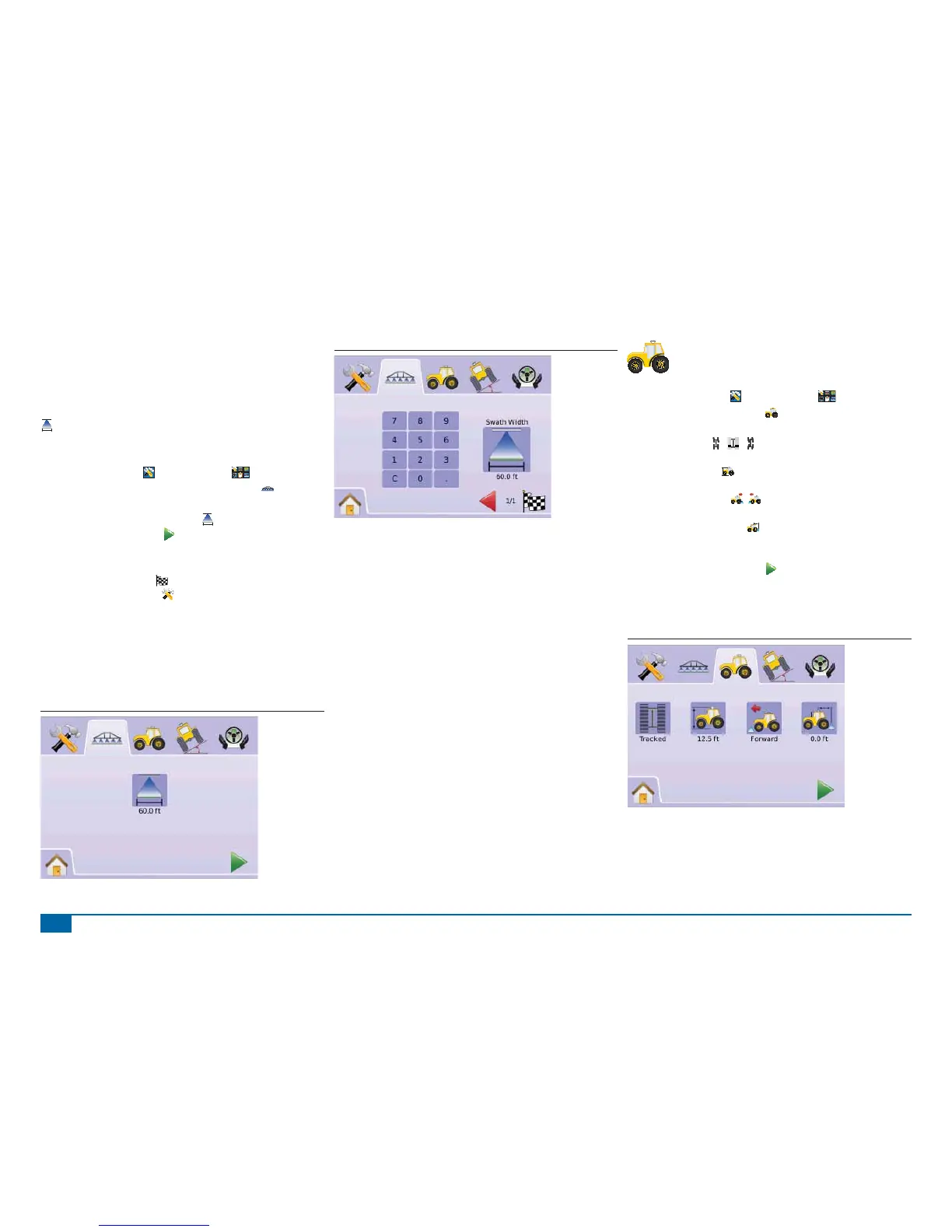
Figure 2-45: Single Boom Section Width (No SDM)
Figure 2-46: Single Boom Section Width Entry
VEHICLE SETUP
Vehicle Setup is used to confi gure Vehicle Type, Antenna
Height, Direction to Boom, and Boom Offset Distance.
1. Select UNIT SETUP
from Home Menu .
2. Press VEHICLE SETUP TAB .
3. Select from:
►Vehicle Type – selects the type of vehicle that most
closely represents your vehicle
►Antenna Height – sets the height of the antenna from the
ground
►Direction to Boom – sets whether the boom is located
behind or in front of the GPS antenna
►Boom Offset Distance – defi nes the distance from the
GPS antenna to the boom
OR
Press PAGE RIGHT ARROW to cycle through all settings.
NOTE: Options labels are current settings. While in a setting screen,
press icon to view available factory settings and setting
ranges.
Figure 2-47: Vehicle Setup



 To Next Page