96
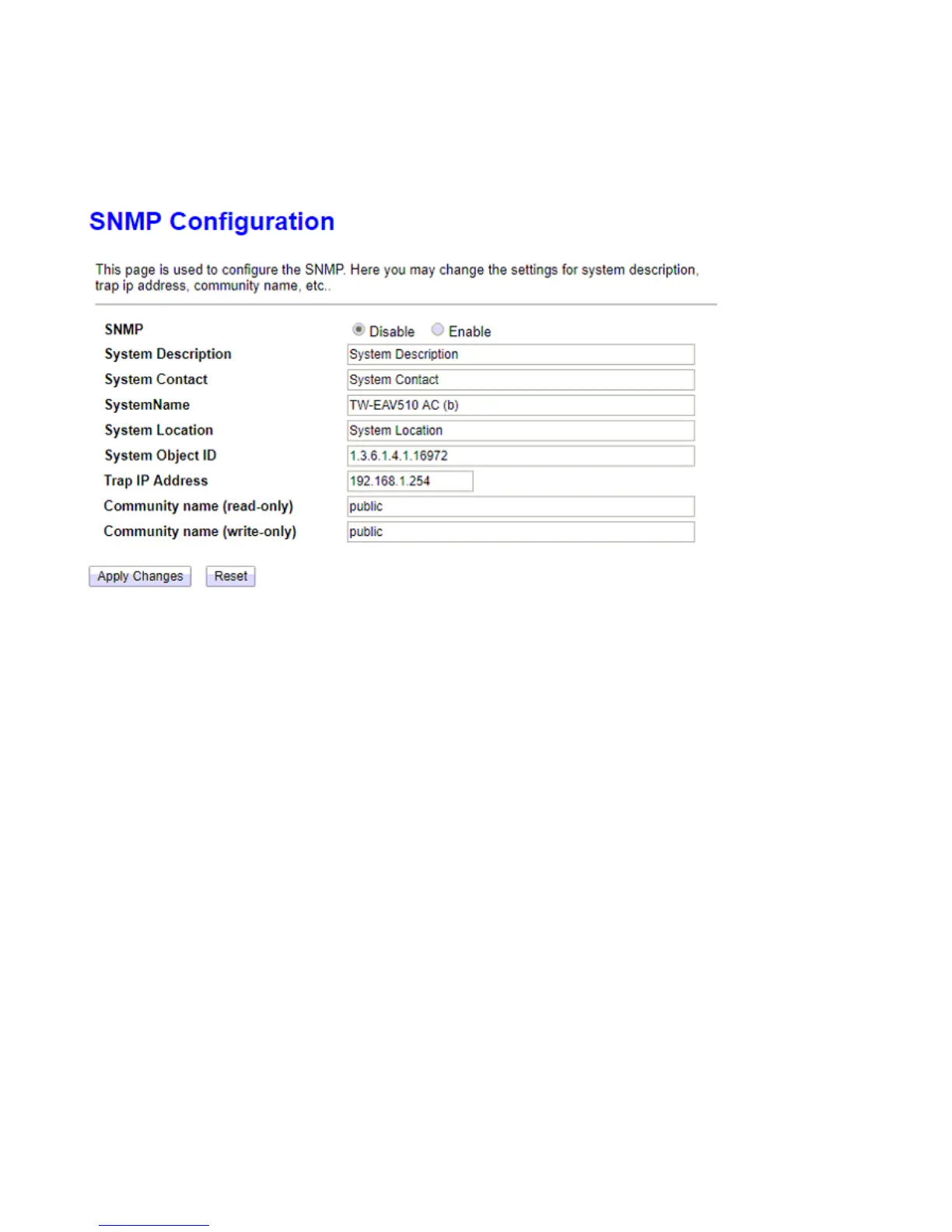
SNMP
Simple Network Management Protocol (SNMP) is a protocol used for exchanging management information
between network devices. SNMP is a member of the TCP/IP protocol suite. The router serves as a SNMP agent
that allows a manager station to manage and monitor the router through the network.
Enable SNMP: Enable to activate SNMP function.
System Description: User-defined system description.
System Name: User-defined system name.
System location: User-set location.
Trap IP Address: Enter the IP of the server receiving the trap message (when some exception occurs) sent by
this SNMP agent.
Community name(read-only): Type the Get Community, which is the password for the incoming Get-and-
GetNext requests from the management station.
Community name(write-only): Type the Set Community, which is the password for incoming Set requests
from the management station.



 To Next Page