31
LAN
A Local Area Network (LAN) is a shared communication system network where many computers are
connected. This type of network is area defined and is usually limited to a confined region within a building.
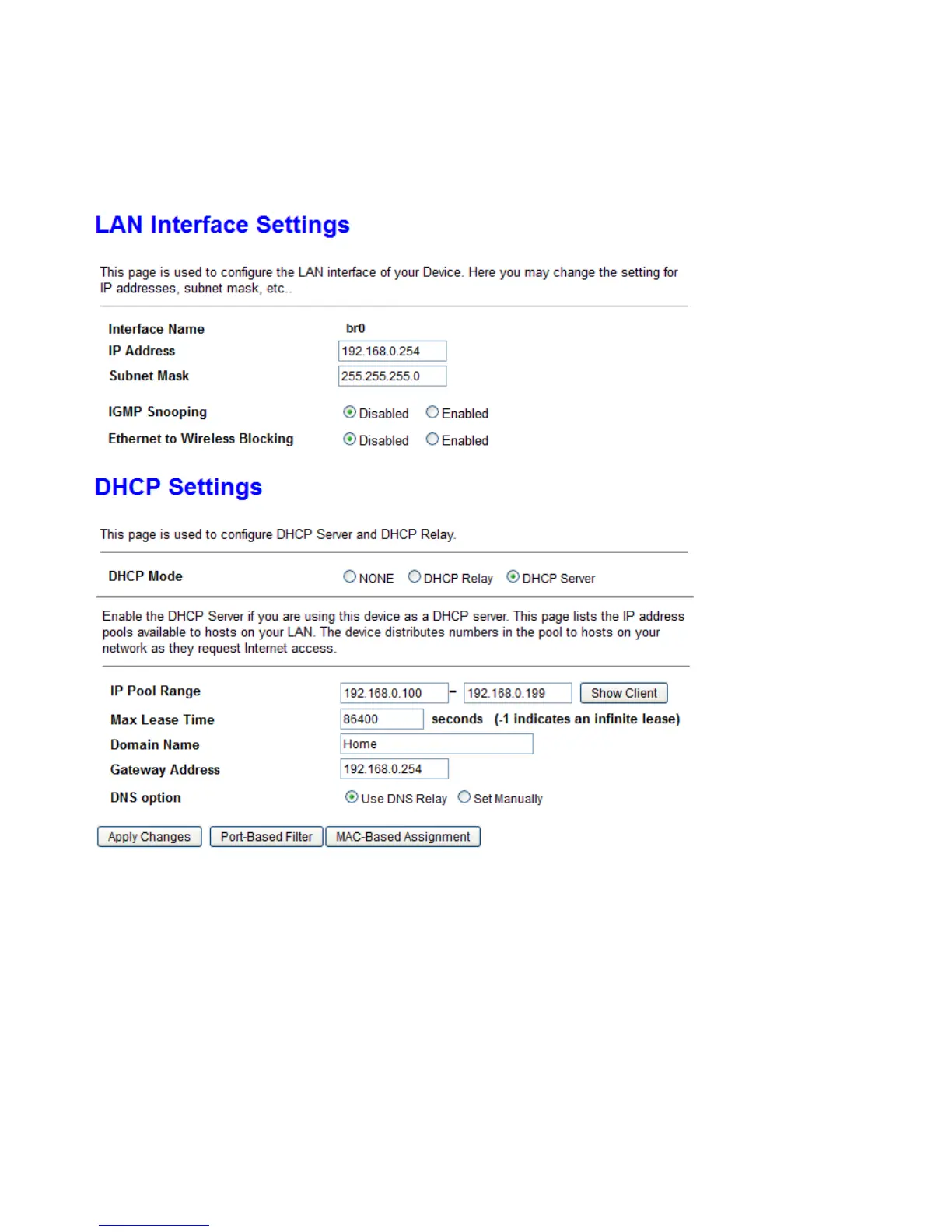
IP address: the IP address of the router. Default is 192.168.0.254.
Subnet Mask: the default Subnet mask on the router.
IGMP Snooping: Enable or disable the IGMP Snooping function. Without IGMP snooping, multicast traffic
is treated in the same manner as broadcast traffic - that is, it is forwarded to all ports. With IGMP
snooping, multicast traffic of a group is only forwarded to ports that have members of that group.”
Ethernet to Wireless Blocking: When it is enabled, all connected PC on Ethernet port cannot access to any
WiFi Client.
DHCP Mode: Set to NONE to disable the DHCP Server function. DHCP Server is activated as default.
IP Pool Range: Setup IP pool range that will be used for DHCP Server. User can click “Show Client” button
to show information for all DHCP Clients.



 To Next Page