56
Outgoing Default/Incoming Default Action: Specify the default action for the unmatched traffic in Current
Filter Table.
Direction: Specify the direction of traffic.
Protocol: Specify the protocol of traffic.
Rule Action: Specify what action will be applied to this rule.
Source IP Address/Subnet Mask/Port: Enter the information of traffic that will be hooked by filter.
Destination IP Address/Subnet Mask/Port: Enter the information of traffic that will be hooked by filter.
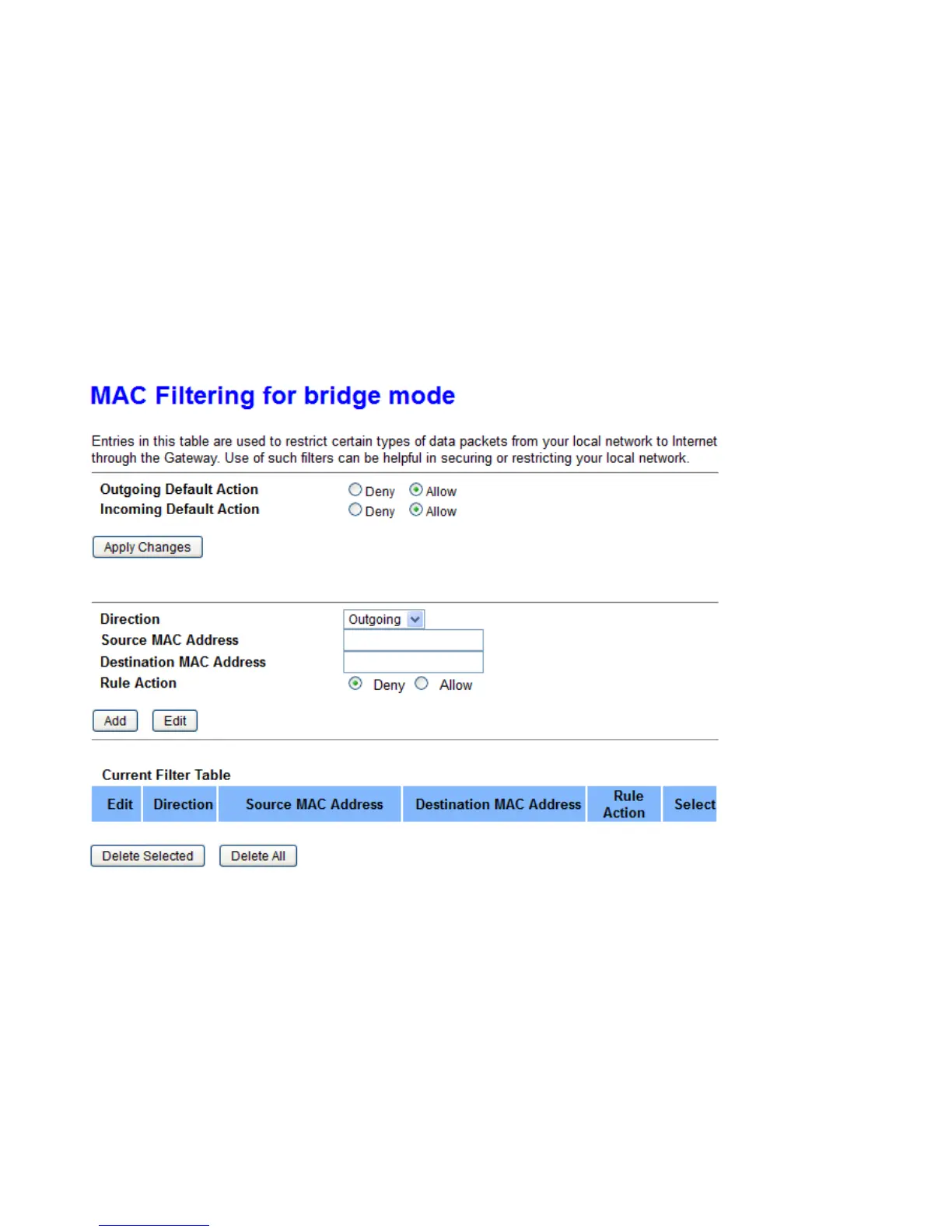
MAC Filtering
Outgoing Default/Incoming Default Action: Specify the default action for the unmatched traffic in Current
Filter Table.
Direction: Specify the direction of traffic.
Source MAC/Destination MAC Address: Enter the information of traffic that will be hooked by filter.
Rule Action: Specify what action will be applied to this rule.



 To Next Page