37
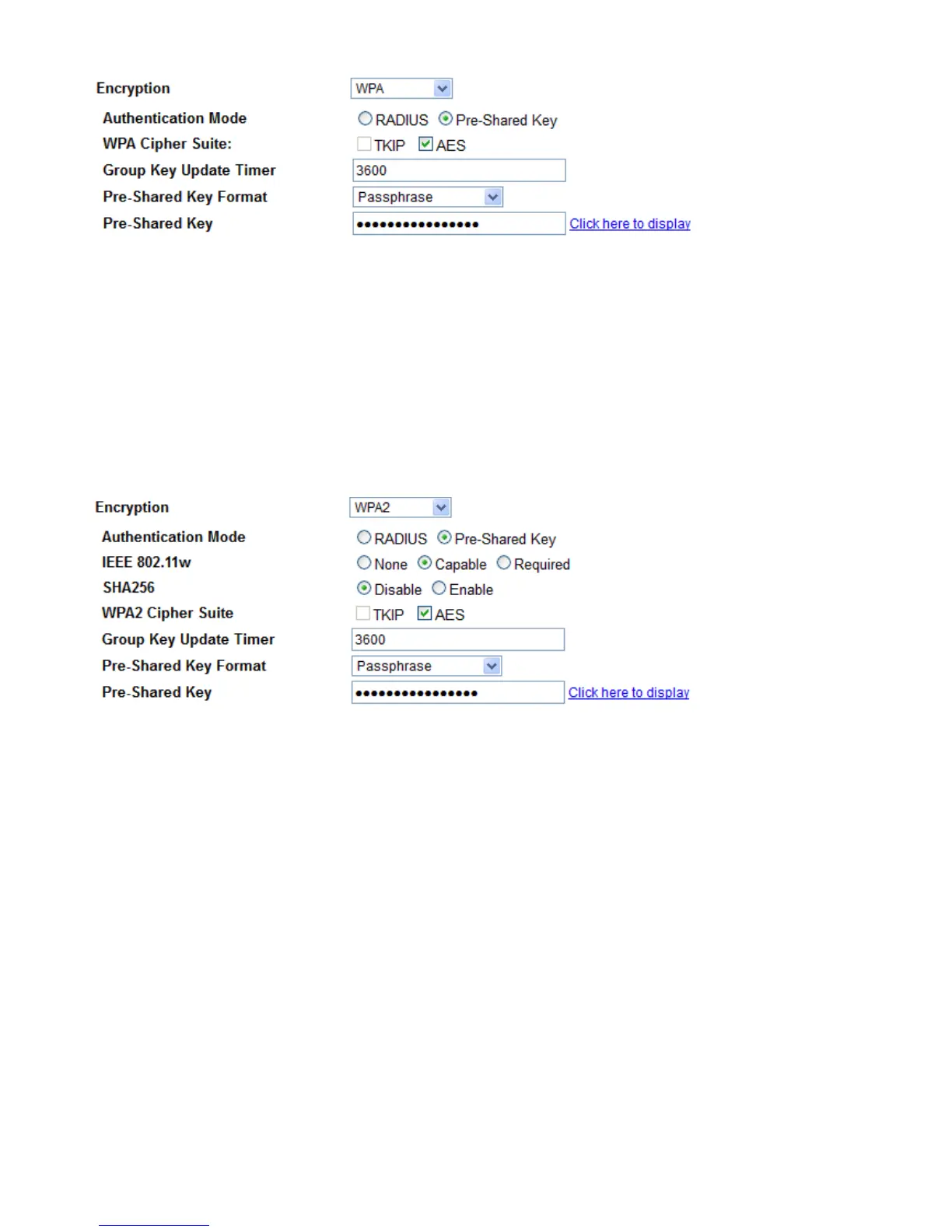
Authentication Mode: RADIUS and Pre-shared key. If RADIUS, please RADIUS( Remote Authentication
Dial In User Service), Enter the IP address, port, password of RADIUS authentication server.
WPA Cipher Suite: Specify what cipher suite can be used.
WPA2 Cipher Suit: Specify what cipher suite can be used.
Group Key Update: The period of renewal time for changing the security key automatically between wireless
client and Access Point (AP). This is in seconds.
Pre-Shared Key: Enter the key for your wireless security setting. Maximum length is 16 characters.
s WPA2/WPA2 Mixed
Authentication Mode: RADIUS and Pre-shared key. If RADIUS, please RADIUS( Remote Authentication
Dial In User Service), Enter the IP address, port, password of RADIUS authentication server.
IEEE802.11w: If to enable IEEE802.11w. IEEE 802.11w is the Protected Management Frames standard
SHA256: Whether to enable SHA256 encryption.
WPA Cipher Suite: Specify what cipher suite can be used.
WPA2 Cipher Suit: Specify what cipher suite can be used.
Group Key Update: The period of renewal time for changing the security key automatically between wireless
client and Access Point (AP). This is in seconds.
Pre-Shared Key: Enter the key for your wireless security setting. Maximum length is 16 characters.
Access Control
The page helps user to make better security for the wireless network, wireless MAC Filter.



 To Next Page