100
QoS Classification
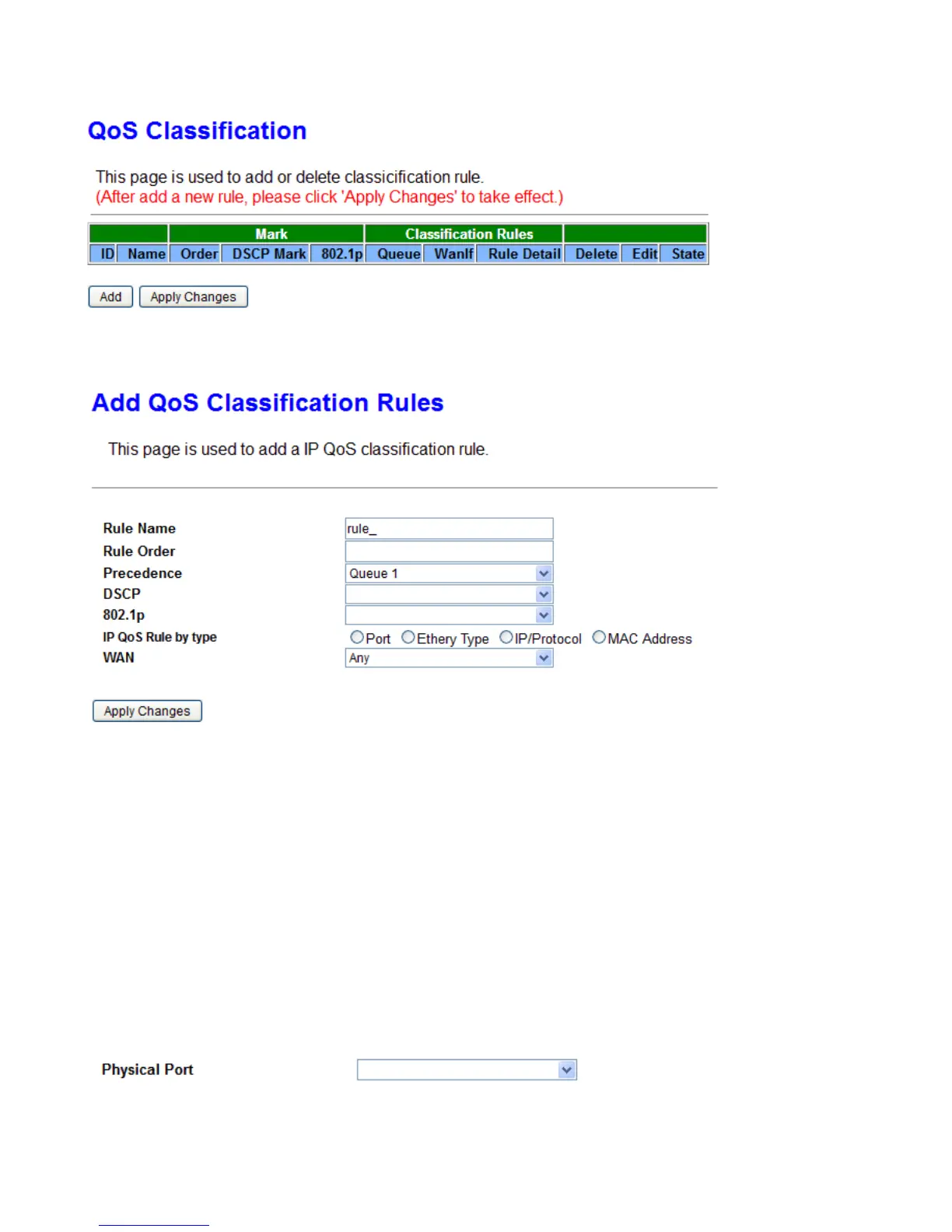
Click the Add button to add QoS rule.
Rule Name: Enter the rule name.
Rule Order: Rule Index.
Precedence: Specify which Queue the packets matching the QoS conditions are to be classified into.
Please notice that only when the packet fulfill every detailed conditions set below, then this packet will be
remarked as the priority queue of each rule.
DSCP: Select the DSCP mark to be a QoS classification condition.
802.1p: Specify the 802.1p value.
WAN: Specify which WAN interface will be applied.
IP QoS Rule by type: Select the type which will be used to hook the traffic for applying the QoS rule.
s Port
Physical Port: LAN ports to be monitored.
s Ethery Type



 To Next Page