29
System Log
Display system logs accumulated up to the present time. You can trace historical information with this function.
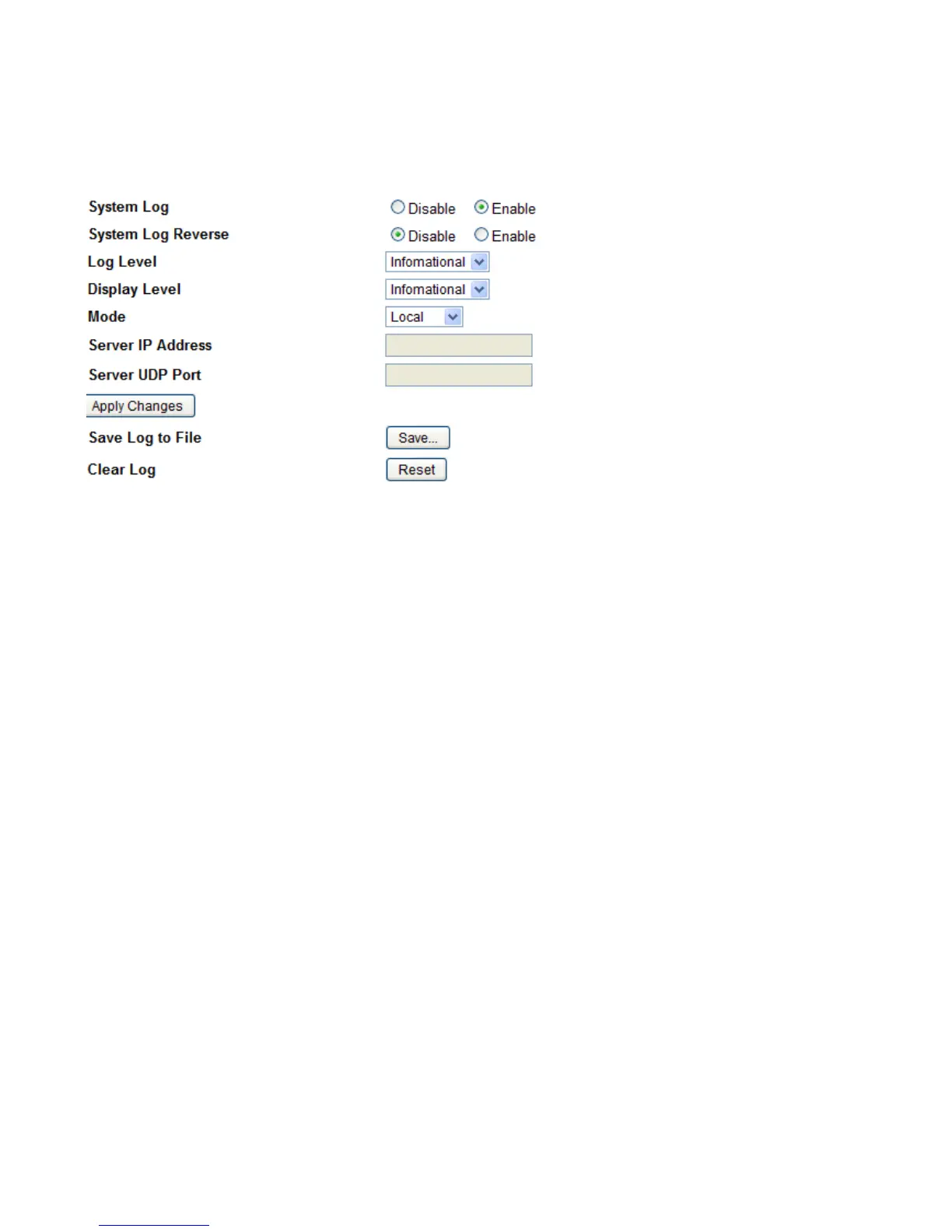
Log Configuring
System Log: Enable or disable this function.
System Log Reserve: Choose if to reverse the order of log item display, with the latest at the top.
Log level: Select your log level. The log level allows you to configure which types of events are logged. There
are eight log levels from high to low are displayed below:
s Emergency = system is unusable
s Alert = action must be taken immediately
s Critical = critical conditions
s Error = error conditions
s Warning = warning conditions
s Notice = normal but significant conditions
s Informational = information events
s Debugging = debug-level messages
The gateway records all log events at the chosen level and above. For instance, if you set the log level to Critical,
all critical, alert, and emergency events are logged, but none of the others are recorded
Display Level: Display the log according to the level you set when you view system log. Once you set the
display level, the logs of the same or higher priority will be displayed.
Mode: Select the mode the system log adopted. Three modes: local, Remote and Both.
s Local: Select this mode to store the logs in the router’s local memory.
s Remote: Select this mode to send the log information to a remote log server. Then you must assign
the remote log server and port, 514 is often used.
s Both: Logs stored adopting above two ways.
Click Apply changes to submit.



 To Next Page