57
Port Forwarding
In TCP/IP and UDP networks a port is a 16-bit number used to identify which application program (usually a
server) incoming connections should be delivered to. Some ports have numbers that are pre-assigned to them
by the IANA (the Internet Assigned Numbers Authority), and these are referred to as “well-known ports”.
Servers follow the well-known port assignments so clients can locate them.
If you wish to run a server on your network that can be accessed from the WAN (i.e. from other machines on
the Internet that are outside your local network), or any application that can accept incoming connections (e.g.
Peer-to-peer/P2P software such as instant messaging applications and P2P file-sharing applications) and are
using NAT (Network Address Translation), then you will usually need to configure your router to forward these
incoming connection attempts using specific ports to the PC on your network running the application. You will
also need to use port forwarding if you want to host an online game server. The reason for this is that when
using NAT, your publicly accessible IP address will be used by and point to your router, which then needs to
deliver all traffic to the private IP addresses used by your PCs. Please see the WAN configuration section of this
manual for more information on NAT.
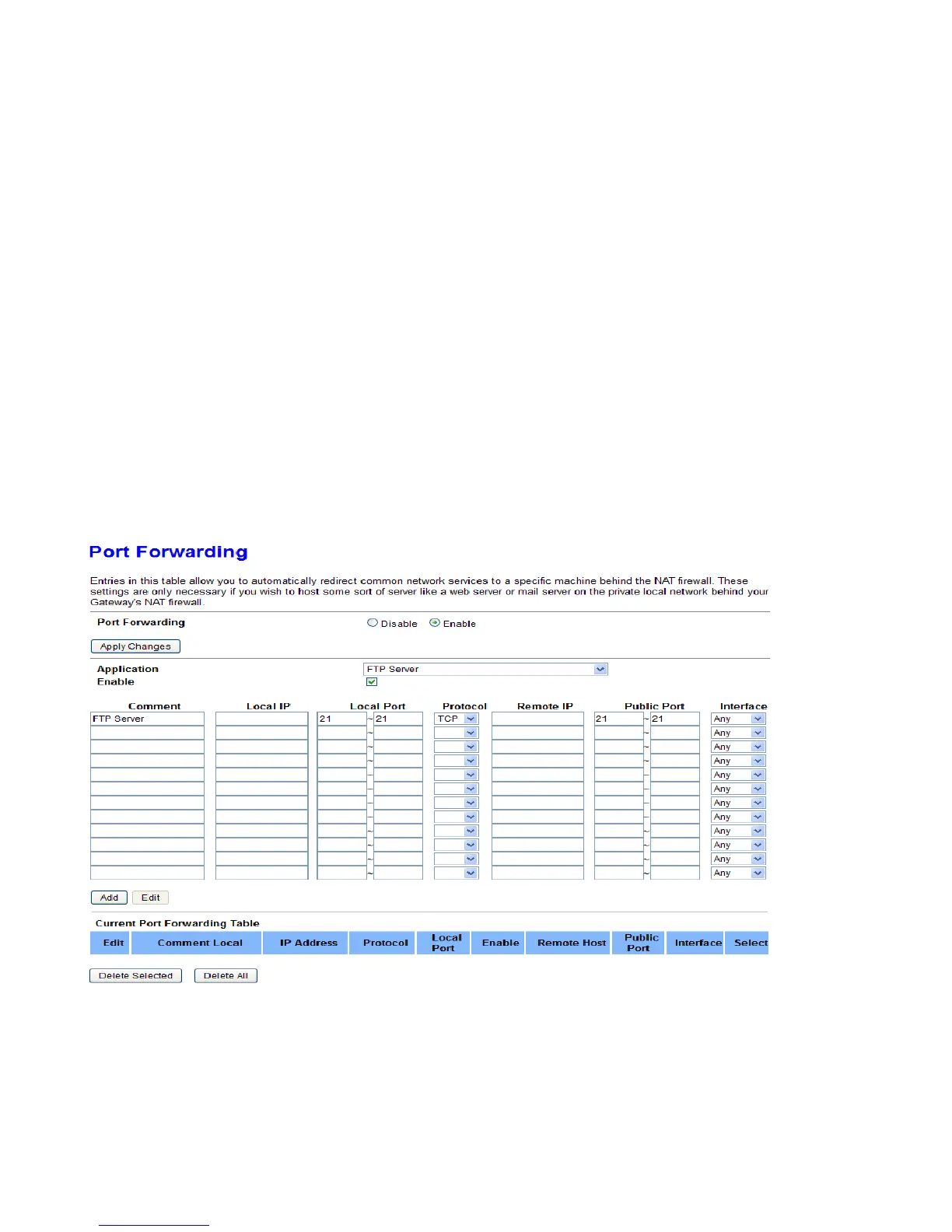
The device can be configured as a virtual server so that remote users accessing services such as Web or FTP
services via the public (WAN) IP address can be automatically redirected to local servers in the LAN network.
Depending on the requested service (TCP/UDP port number), the device redirects the external service request
to the appropriate server within the LAN network.
This part is only available when NAPT is enabled.
Port Forwarding: Choose if to enable Port Forwarding feature. And Apply Changes to save the setting.
Application: You can select the common application type, for example, AUTH, FTP or TFTP.
Enable: To activate the rule or not.
Comment: user-defined description for the rule.
Local IP/Port: Set the local IP and port (range) for the application(local server). The local IP is in the same
network segment with LAN IP address of the router.
Protocol: Choose the transport layer protocol that the service uses. You can choose TCP, UDP or Both.
Remote IP/Public Port: Set the remote/external IP and port (range) for the application.



 To Next Page