46
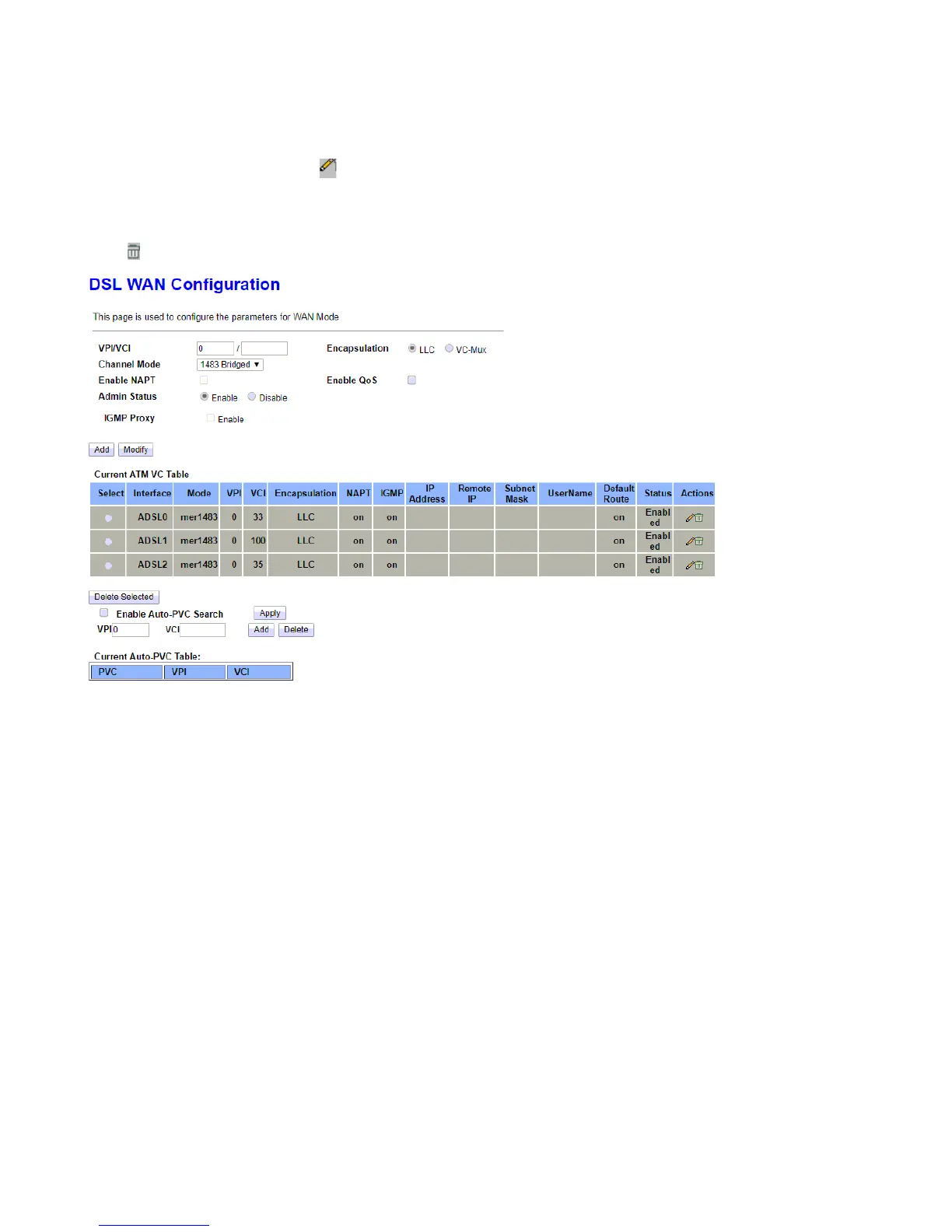
ATM(ADSL) WAN
The page is used to configure the parameters and protocol for the ADSL WAN port. There are three pre-set
ADSL connections, users can edit or add your own ADSL rules.
But note, edit when your channel mode (protocol) is in line with one of the pre-set rules, or please add new
ones.
Click to delete the undesired ADSL rules.
VPI (Virtual Path Identifier) and VCI (Virtual Channel Identifier) define a virtual circuit.
VPI: Virtual Path Identifier. The valid range for the VPI is 0 to 255. Enter the VPI assigned to you. This field
may already be configured.
VCI: Virtual Channel Identifier. The valid range for the VCI is 1 to 65535. Enter the VCI assigned to you. This
field may already be configured.
Encapsulation: Select in the Mode field, select LLC, VC-Mux.
Channel Mode: You can choose 1483 Bridged, 1483 MER, PPPoE, PPPoA, 1483 Routed or 1577 Routed.
Enable NAPT: Select it to enable Network Address Port Translation (NAPT) function which allows multiple
users to access the Internet through a single IP account by sharing the single IP address. If you do not select it
and you want to access the Internet normally, you must add a route on the uplink equipment. Otherwise, the
access to the Internet fails. Normally, it is enabled.
Admin Status: Activate/Enable or disable the connection.
Enable QoS: Enable/Disable the QoS for WAN connection.
Enable IGMP-Proxy: Enable/Disable the IGMP Proxy. If disabled, the IPTV will not work with NAT enabled
mode.



 To Next Page