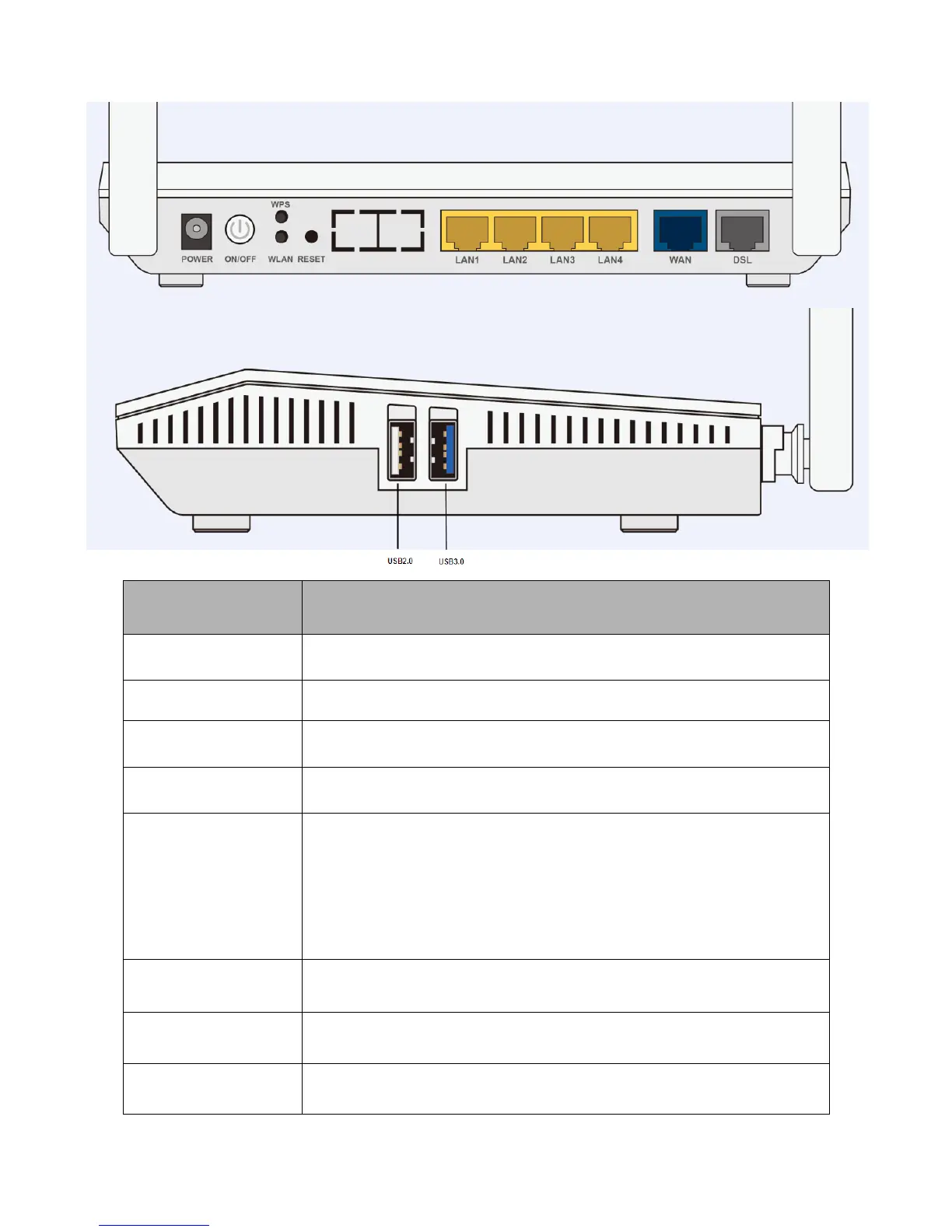
Connect the supplied Power Adapter to this port.
Press and release quickly to enable or disable the 2.4G and 5G Wi-Fi
function
Press and release quickly to enable the WPS function
The RESET button is to designed to achieve two effects:
1. Press and hold it for 2-5 seconds to get FW/firmware upgrade from
TeleWell server when internet is working.
2. Press and hold it for 5 seconds or above to restore to factory default
settings.
Connect a Ethernet cable to one of the LAN ports when connecting to a
PC or an office/home network.
Connect to Fibre/ Cable/ xDSL Modem with a RJ-45 cable, for
broadband connectivity
Connect to the xDSL/ telephone network with RJ-11 cable(telephone)



 To Next Page