41
WAN
A WAN (Wide Area Network) is a computer network that covers a broad geographical area (eg. Internet) that
is used to connect LAN and other types of network systems.
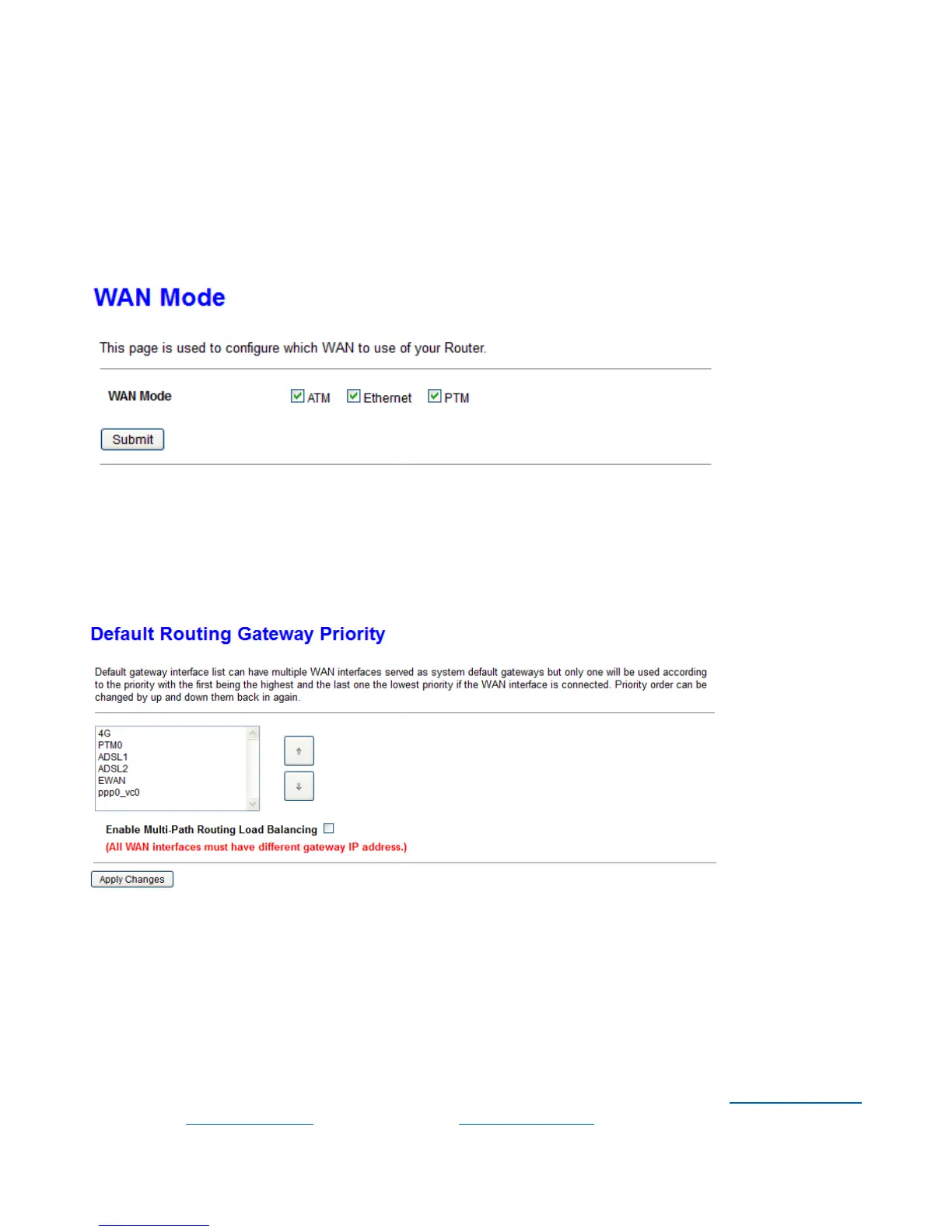
WAN Mode
The page is used to configure which WAN connection mode will be used or not.
Default Routing
This page is used to configure the priority of each WAN connection. Top one has higher priority than lower
one. If you have multi-WAN connection available, it will do auto failover and auto fallback according to the
priority setting here.
Ethernet WAN
The page is used to configure the parameters and protocol for the Ethernet WAN port. The device offers four
popular methods for connecting WAN - Ethernet WAN (broadband) seen below, VDSL, see PTM (VDSL) WAN
and ADSL, see ATM (ADSL) WAN and 3G/4G LTE, see 3G/4G LTE Settings.



 To Next Page