53
Services
DNS
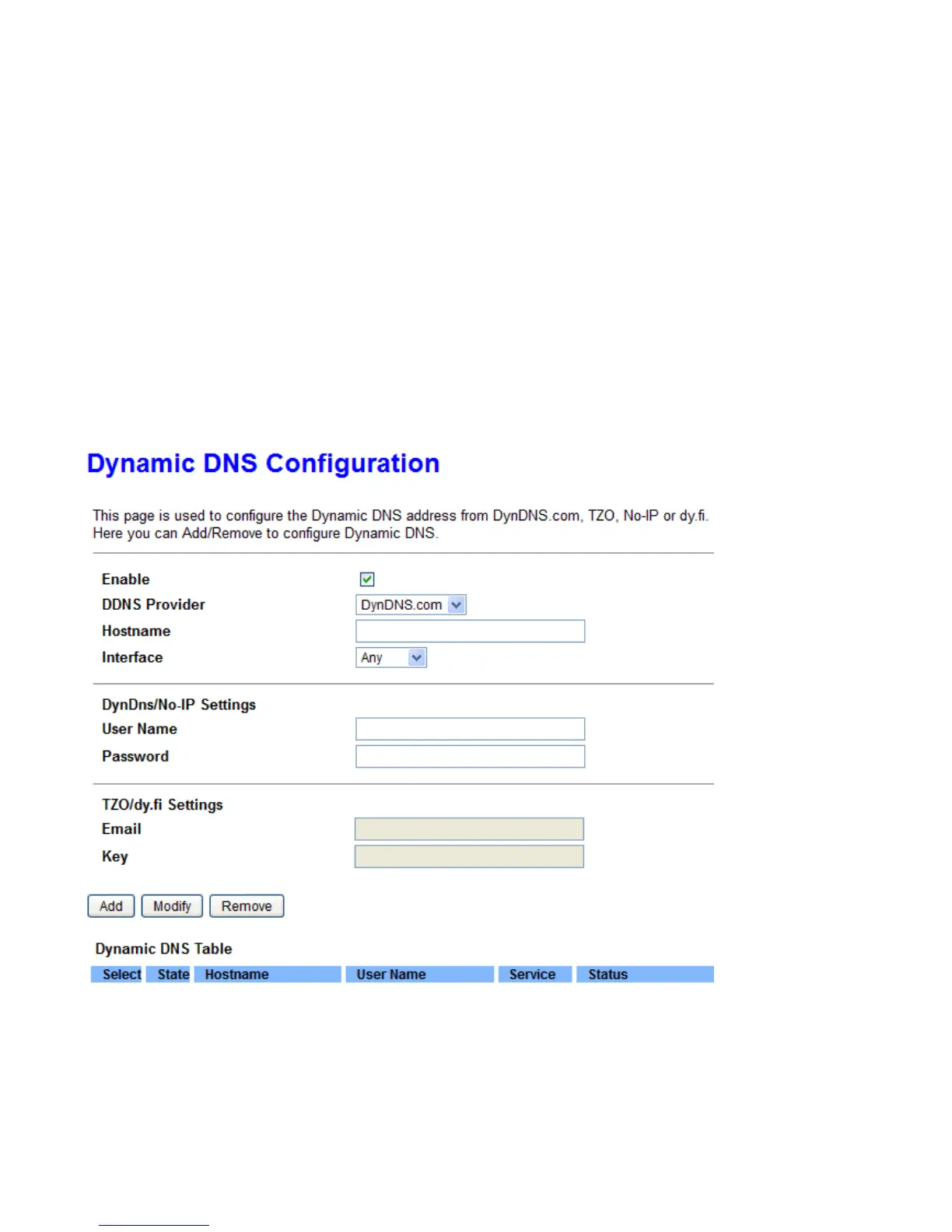
Dynamic DNS
The Dynamic DNS function allows you to alias a dynamic IP address to a static hostname, allowing users whose
ISP does not assign them a static IP address to use a domain name. This is especially useful for hosting servers
via your ADSL/VDSL connection, so that anyone wishing to connect to you may use your domain name, rather
than having to use your dynamic IP address, which changes from time to time. This dynamic IP address is the
WAN IP address of the router, which is assigned to you by your ISP.
Each DDNS Provide has different settings. You will first need to register and establish an account with the
Dynamic DNS / No-IP/dy.fi provider using their website, for example https://dyn.com/dns/.
Enable: Select this check box to activate Dynamic DNS.
DNS Provider: Select from drop-down menu for the appropriate service provider, for example: DynDNS.org.
Hostname: Type the domain name registered at your Dynamic DNS provider.
Interface: The interface applies DDNS, and is associated with the hostname..



 To Next Page