89
GRE Settings
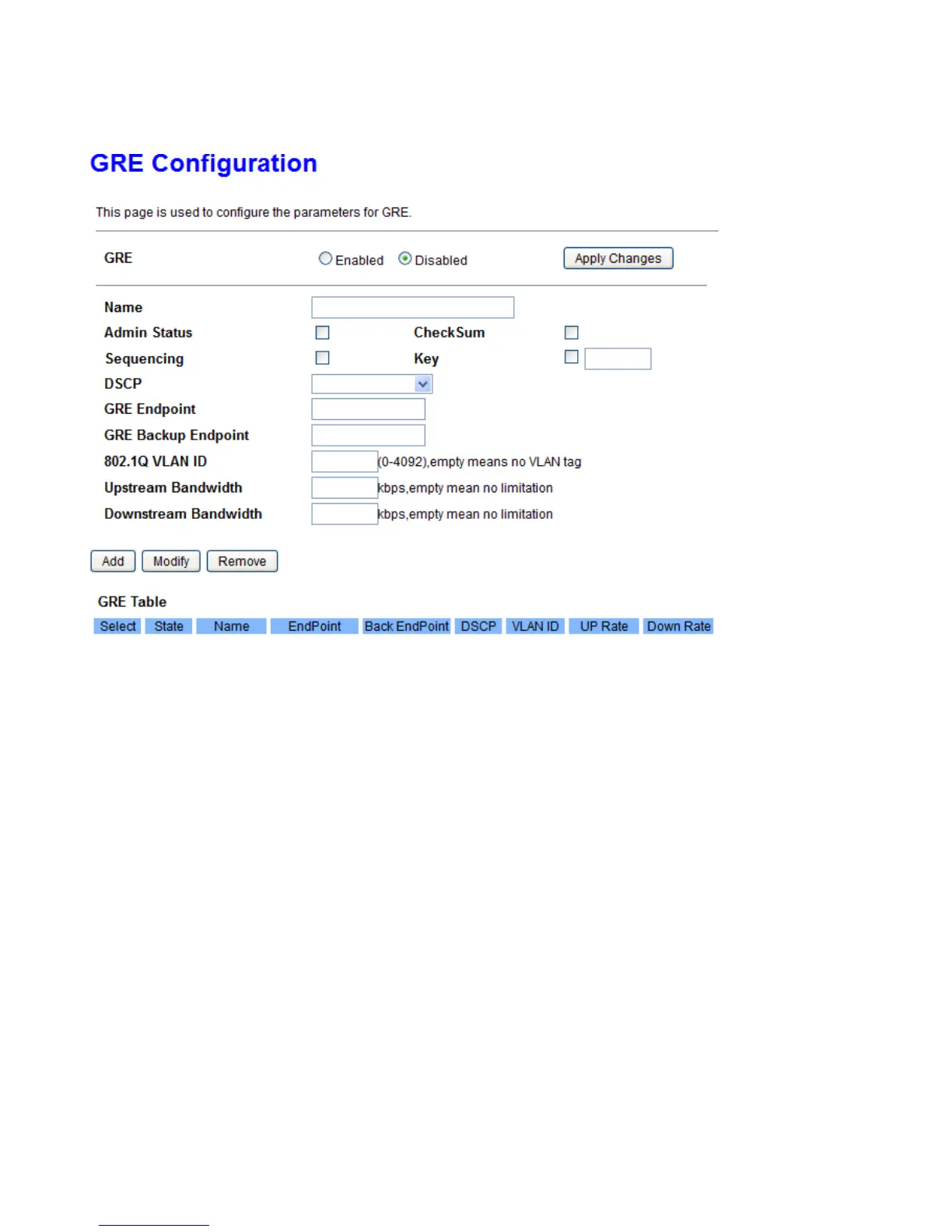
In terms of how to use GRE here, it needs to be associated with Bridge Grouping.
GRE: Choose to enable or disable the GRE feature. Press Apply Changes to submit your changes.
Name: A given name for identification for GRE tunnel.
Admin Status: Choose to enable or disable this tunnel.
Sequencing: Enable to serialize all incoming and outgoing packets.
CheckSum: Enable to generate/require checksums for tunneled packets
Key: Enable to sets the key to use in both directions.
DSCP: Differentiated Services Code Point (DSCP), it is the first 6 bits in the ToS byte. DSCP Marking allows
users to classify the traffic of the application to be executed according to the DSCP value.
GRE Endpoint: Set the remote gateway address.
GRE Backup Endpoint: a backup address for remote gateway.
802.11Q VLAN ID: Set the VLAN ID for this GRE tunnel.
Upstream/Downstream Bandwidth: Specify the upstream/downstream bandwidth in kbps.
How to for GRE:
1. Set a route WAN



 To Next Page