32
Max Lease Time: Setup lease time for clients, default is 86400s.
Domain Name: Enter the domain name for your local area network (optional).
Gateway Address: It is the IP that will be assigned and activated as DHCP client’s gateway IP.
DNS option: This allows you to assign a DNS Servers to the requesting PC.
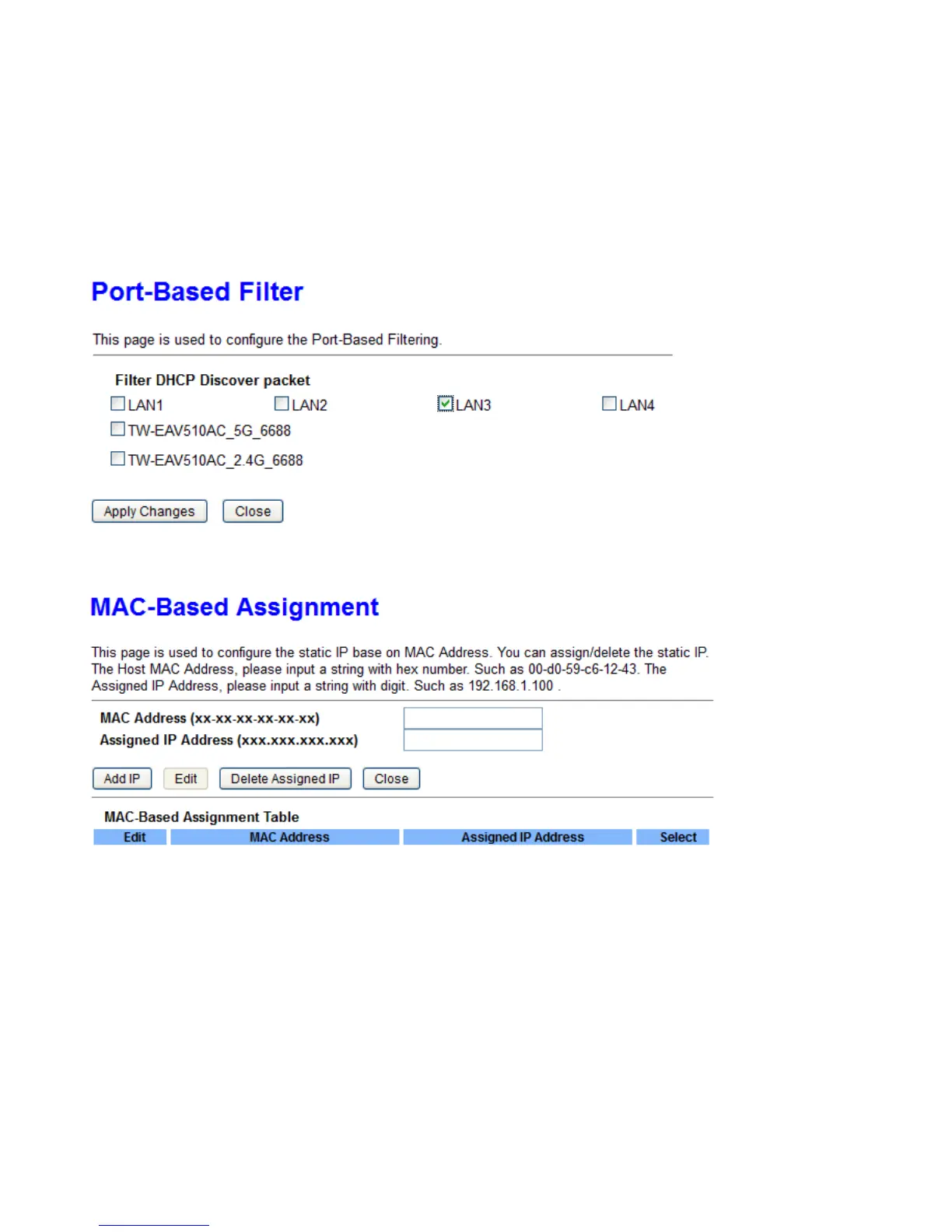
Port Based Filter: Choose if DHCP server will drop DHCP packet from the designated port.
For example, if LAN3 is selected, PC on LAN3 will not obtain IP from the DHCP server. But PC on this port
can be manually set IP.
MAC-Based Assignment: This page allows DHCP server to release the fixed IP address to specified MAC
address always.
WLAN
TW-EAV510 AC is a simultaneous dual-band (2.4G and 5G) wireless router supporting 11b/g/n/a/ac wireless
standards. It allows multiple wireless users on 2.4G and 5G radio bands to surf the Internet, checking e-mail,
watching video, listening to music over the Internet concurrently.
You can choose the optimum radio band wireless connection base on your environment.



 To Next Page