35
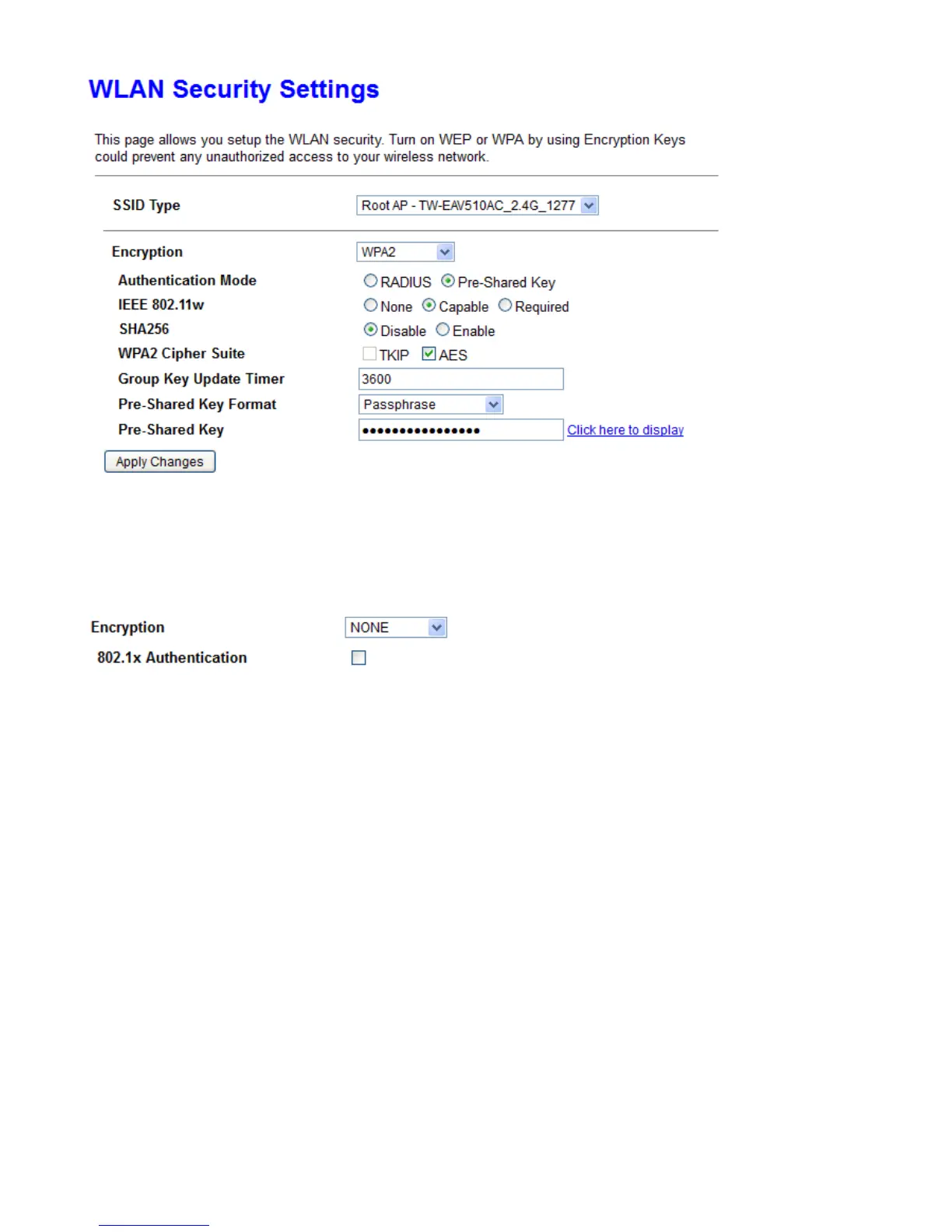
SSID choice: Apply the security settings to selected SSID.
Encryption: User can select one of the following authentications to secure your wireless network: None,
WPA, WPA2 or WPA2 Mixed.
s None
802.1x Authentication: If to enable 802.1x authentication.
RADIUS Server IP Address: RADIUS( Remote Authentication Dial In User Service), Enter the IP address of
RADIUS authentication server.
RADIUS Server Port: Enter the port number of RADIUS authentication server here.
RADIUS Password: Enter the password of RADIUS authentication server.
s WEP



 To Next Page