72
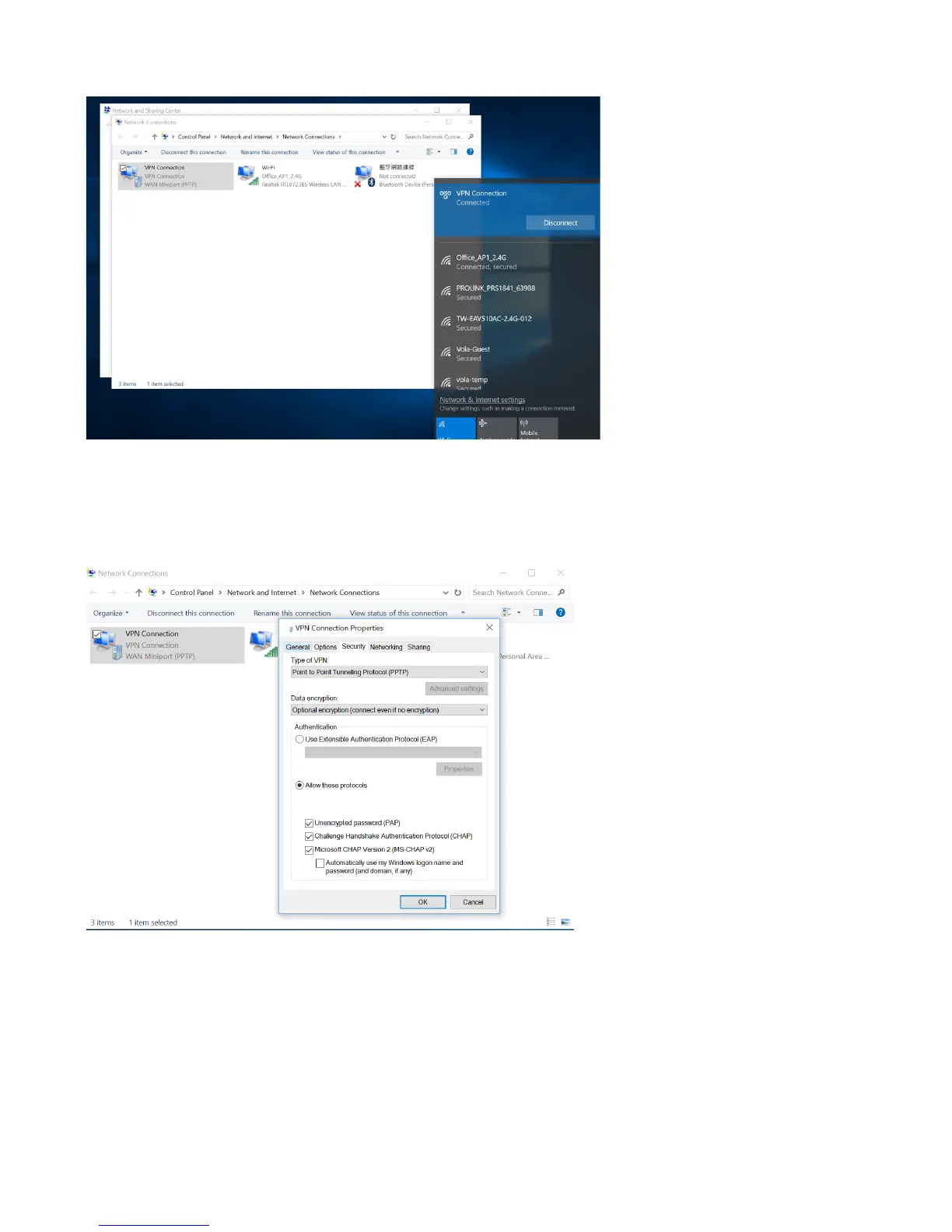
8. After connected, you can access remote network now.
9. If you have problem connect with PPTP VPN via PC, please check Control Panel -> Network and Internet -
> Network and Sharing Center, click Change adapter settings on left side, would show VPN Connection
then right click to select Properties -> Security. Choose Type of VPN to Point to Point Tunneling
Protocol(PPTP), and choose Allow these protocols also according to VPN server Authentication Type to
enable authentication. Please check as below.



 To Next Page