ACT6000 User Guide – January 2021 Page 15 of 52
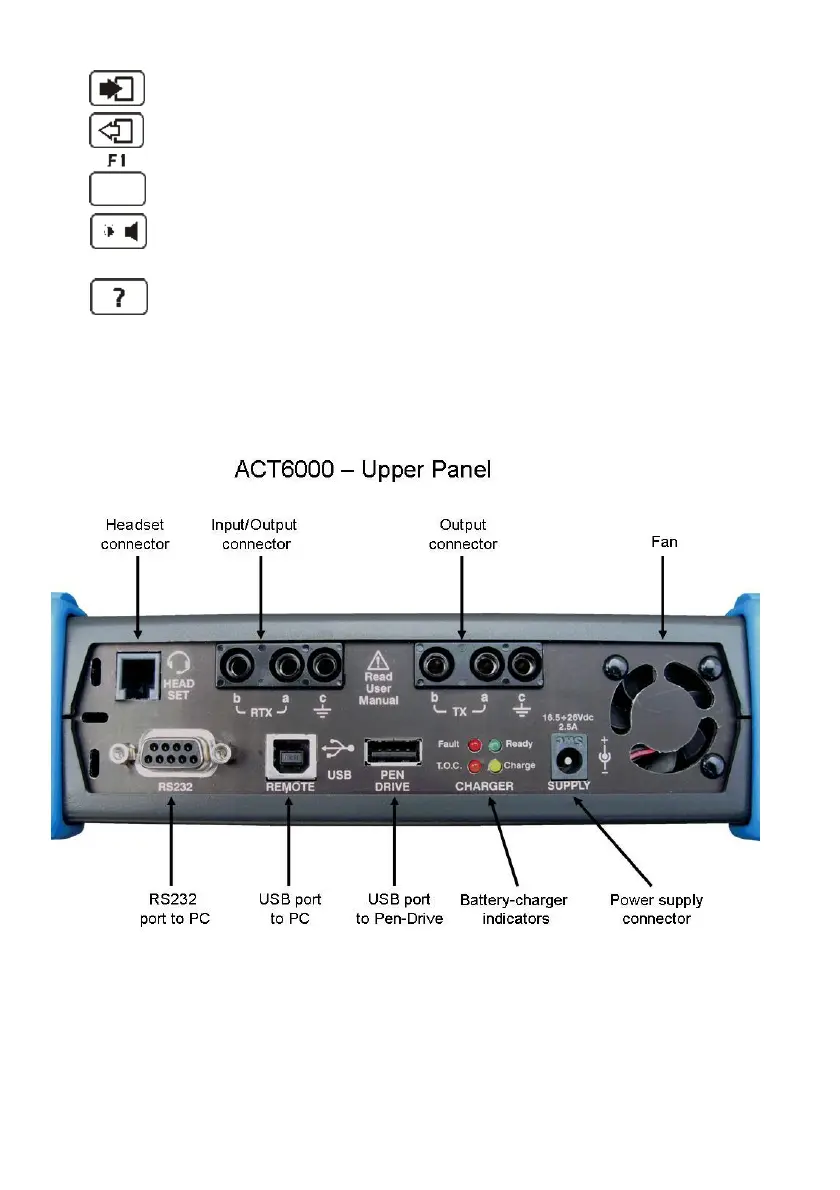
7- (Enter) Key for selection / confirmation.
8- (Escape) Key for exit and return to previous state.
9- Function keys group (the associated function is highlighted in the
relevant area of the display).
10- Multi-functional key for temporary adjustment of the brightness / contrast of the
display and for switching On/Off of the internal loudspeaker.
11- Key for software release and instrument information.
BATT. Rubber corner protection of the battery compartment.
5.2. Upper panel Connections Description



 To Next Page