ACT6000 User Guide – January 2021 Page 31 of 52
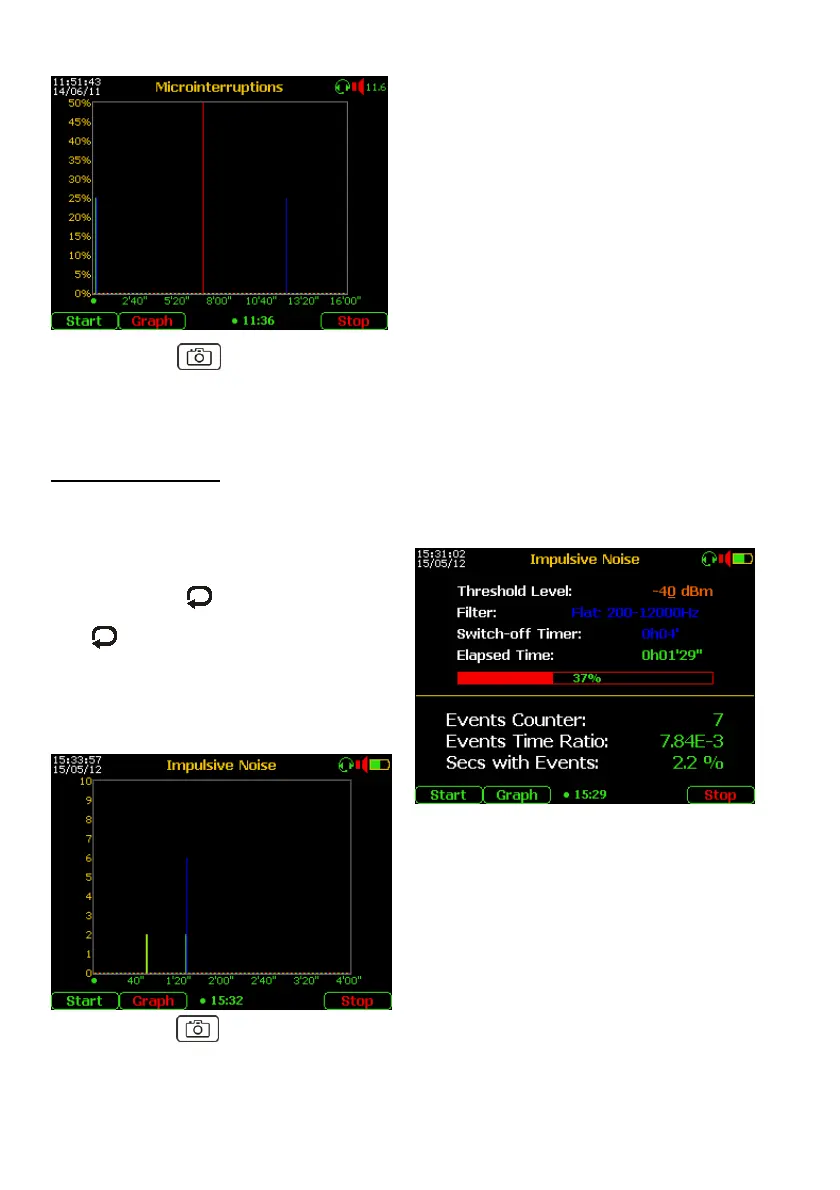
During the test, or at the end, pushing the F2
“Graph” key will show the graphic
representation in the time domain on the
horizontal axis.
The percentage of seconds with events
will be represented on the vertical axis.
Re-pushing the F2 key goes back to the tabular
representation.
By pushing the “Photo” key, the measurement can be frozen and the F5 key will
allow to save the measurement to be saved in the internal memory.
10.2. Impulsive Noise Test
Measurement setup
From the Main Menu select and enter on 3 Event Tests, then select the
“1. IMPULSIVE NOISE” function; the display will show the following menu.
- Connect the line under test to the a – b
points of the RTX connector;
- By pushing the key set the Threshold
Level to noise detection;
- By , “Enter” and arrows set the
Band Filter and the Switch-off Timer
(≥15 minutes is suggested);
- Push the “Start” (F1) key.
At the end of the test, all the results will be
shown on the display.
During the test, or at the end, pushing the F2
“Graph” key will show the histogram
representation in the time domain on the
horizontal axis.
The number events will be represented on the
vertical axis.
Re-pushing the F2 key goes back to the
tabular representation.
By pushing the “Photo” key, the measurement can be frozen and the F5 key will
allow to save the measurement in the internal memory.



 To Next Page