ACT6000 User Guide – January 2021 Page 22 of 52
7.2. LINE TESTS Pre-configured DELT (End-to-End) Sequence
Adopting the ASW-1/II it is possible to perform an automatic and accurate transmissive line
qualification using a couple of ACT6000s (in Master/Slave configuration) connected to the
opposite side of the line: Master on Central Office (MDF) or street cabinet and SLAVE on
the user side or on intermediary point (as remote street cabinet).
MASTER setup
Disconnect the line under test from the “central side” and connect its “user side” to the
a - b points of the RTX connector; connect also the c point to the “ground” reference.
If the Cross-Talk test is also needed to be performed, connect the free “disturbance line” to
the a - b points of the TX connector.
Instrument configuration
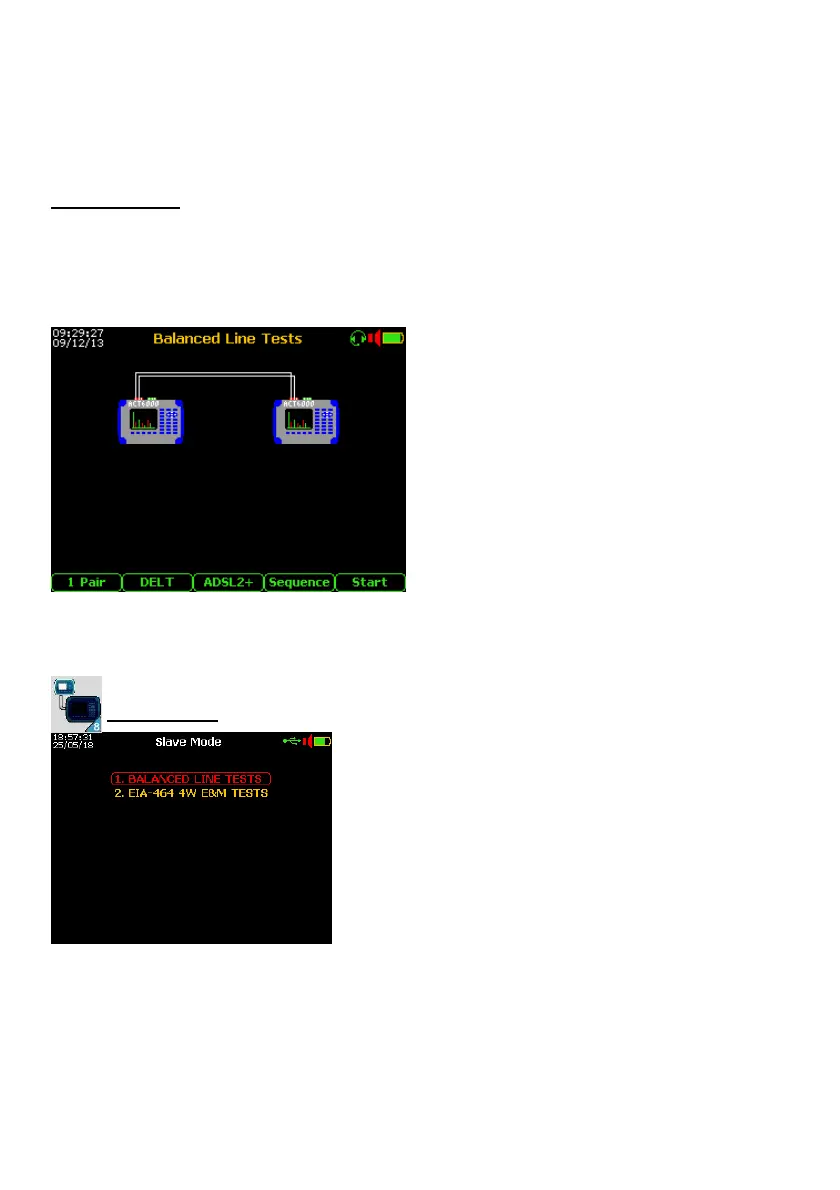
From the Main Menu select and enter on the
“1. BALANCED LINE TESTS” menu.
By the F1 key select the modality 1 or 2
Pairs, this last if needed to perform also the
Cross-Talk (NEXT - local / FEXT - remote)
between two lines.
By the F2 key select the “DELT” modality.
By the F3 key select the service type:
VOICE, MODEM 56K, ISDN, HDSL (1-2 P),
SHDSL, E1, ADSL, ADSL2+, VDSL2.. / P.
Push the F5 key “Start” to enable the Master/Slave connection and start the automatic test
sequence. From this moment the Master sends a beep to facilitate the line interception
(pair tracer function) by the Slave.
Slave setup
From the Main Menu select and enter on the “8.
“Slave Mode”.
Push the “Enter” key to validate the
“1. BALANCEDLINE TEST” selection.
Disconnect the internal plant (user side) of the line to
be test and connect it to the a – b point of the RTX
connector, connect also the c point to the “ground”
reference.
If needed to perform also the Cross-Talk test, connect
the above “disturbance line” to the a - b points of TX
connector.
From this moment, if the line is good (without interruptions or short circuit) the beep sent
from the Master will be heard on the loudspeaker of the Slave.
Push the F5 “Start” key to enable the Master/Slave connection and automatic test
sequence.
After the acknowledgement by the Salve, Master sends a data request and, according to
the setup of the Config. & Utility, it start the measurements sequence.
Master and Slave shows the progress of the sequence and the data transfer on the related
display. The test is finished, the instrument is ready for another test.



 To Next Page